Corsair Harpoon RGB Review: ~7 Years and ~7,000 Hours Later
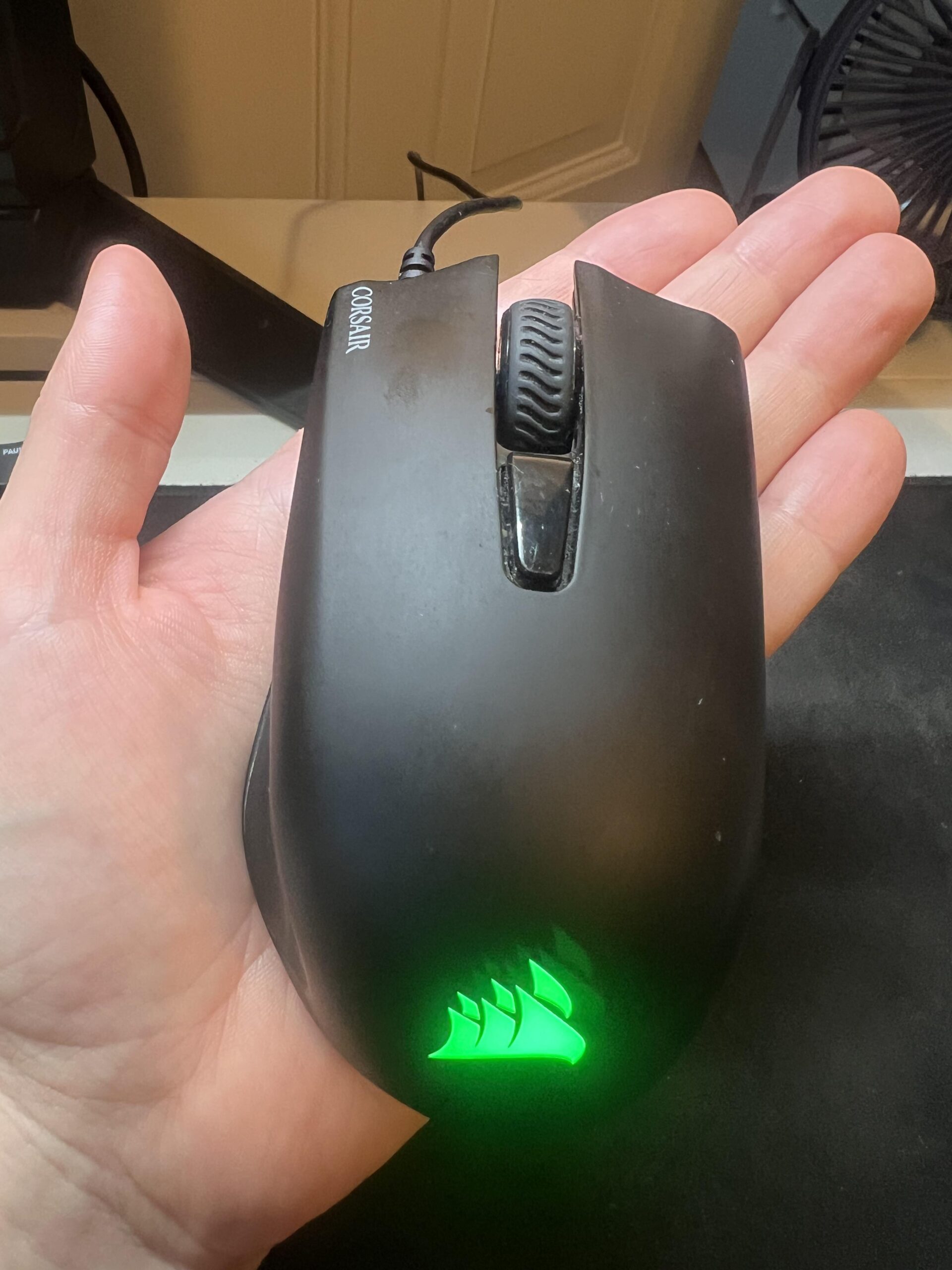
I have used the original Corsair Harpoon RGB as my main desktop mouse for about seven years. Based on roughly 20 hours of use per week, that works out to around 7,000 hours of real-world use across study, browsing, email, YouTube and gaming.
I bought it around 2019 for approximately 250 DKK. I no longer have the receipt, so both the purchase date and price are estimates. I paid for it myself with no sponsorship, discount or free product.
After all that use, every button still works, the scroll wheel still feels good, the RGB lighting still works, the sensor has not developed tracking problems, and the cable has never caused disconnects. The biggest visible sign of age is cosmetic wear on the rubber side grips.
Affiliate disclosure: This review contains a paid Amazon link. If you buy through it, Jon Tests may earn a commission at no extra cost to you. I bought this mouse myself and received no free product, discount or compensation. As an Amazon Associate I earn from qualifying purchases. Full disclosure.
Corsair Harpoon RGB — 4.5/5
Quick verdict: The original Harpoon RGB has been outstanding value for me. After roughly seven years as my primary desktop mouse, every button, the scroll wheel, sensor, RGB lighting and cable still work. The main downside is cosmetic wear on the rubber side grips, plus a DPI button I occasionally hit by accident.
Best for: desktop users and gamers who want a simple wired mouse with a comfortable shape, useful side buttons and proven durability.
Skip if: you want wireless portability, a modern ultra-light competitive mouse or the newer 12,000-DPI Harpoon RGB PRO.
- Excellent reliability after roughly seven years
- No double-clicking, missed clicks or tracking failures
- Comfortable with no hand or wrist pain in my use
- Useful browser-back side button
- Scroll wheel still feels good
- RGB, cable and all original parts still work
- Exceptional value for the roughly 250 DKK I remember paying
- Rubber side grips became visibly worn relatively early
- DPI button is easy for me to press accidentally
- The cable can occasionally feel inconvenient
- 6,000-DPI sensor and feature set are dated versus newer gaming mice
How I tested it
- Exact mouse: Corsair Gaming Harpoon RGB Mouse, model RGP0030
- Product family: original Harpoon RGB / CH-9301011, not Harpoon RGB PRO
- Purchased: around 2019 (approximate; receipt no longer available)
- Price paid: roughly 250 DKK (approximate from memory)
- Purchase status: bought with my own money
- Ownership: about seven years as my primary desktop mouse
- Estimated use: about 20 hours per week, roughly 7,000 hours total
- Main use: study, browsing, email, YouTube and gaming
- Games: mainly Hearthstone, with some Counter-Strike and World of Warcraft
- Mousepad: large Xtrfy mousepad
- Repairs/replacements: none; all parts remain original
The ~7,000-hour figure is an estimate based on typical weekly use, not a logged timer. My purchase date and price are also memory estimates.
Seven years later, durability is the main story
The reason I still rate this mouse so highly is simple: it keeps working. It has been my primary mouse on my desktop PC for about seven years and has survived everyday work, gaming, a few small drops, minor liquid exposure and very infrequent cleaning.
I have never opened it, repaired it, changed the mouse feet, replaced a switch or swapped any other component. I have also never experienced double-clicking, missed clicks, a broken button, intermittent cable connection or persistent tracking failure.
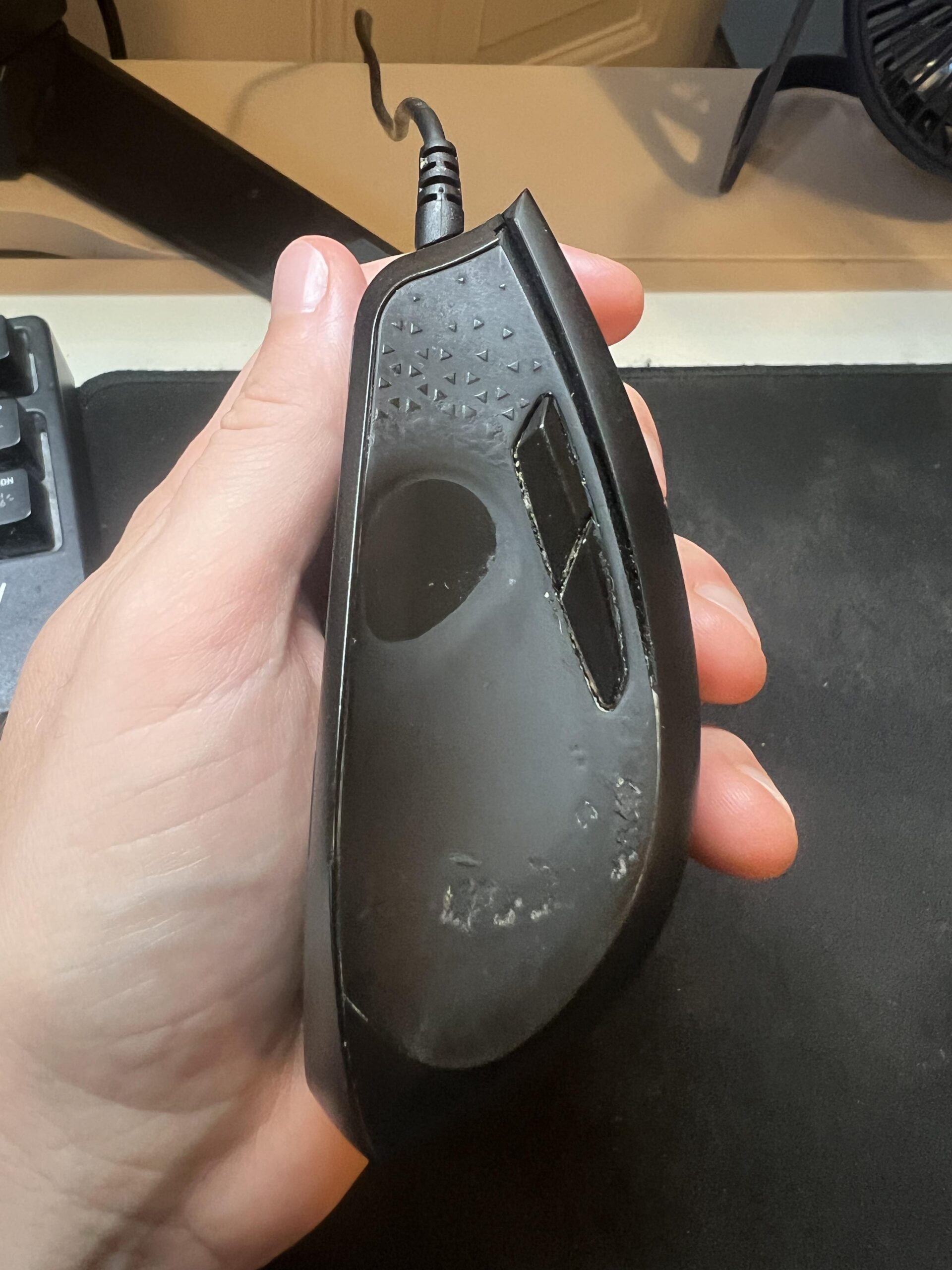
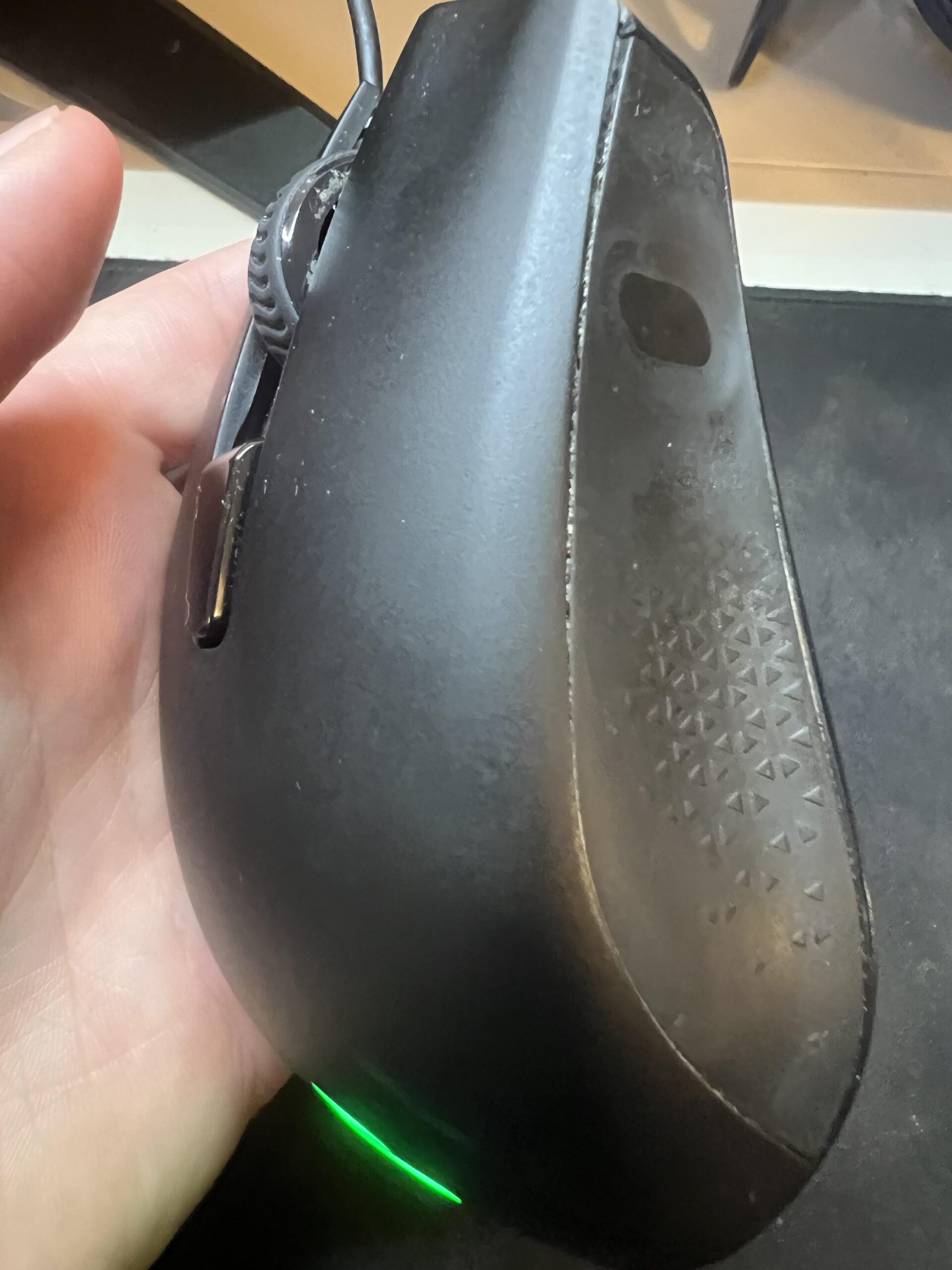
The side grips wear, but the mouse still feels solid
The most obvious weakness is the rubber coating on the sides. I remember the cosmetic wear starting after roughly the first year. Today it is clearly visible, but the worn areas still feel fine in my hand and I do not find the mouse noticeably more slippery because of it.
The shell still feels solid and I do not notice meaningful rattling or looseness. Considering how long I have owned it and the small accidents it has survived, the construction has impressed me.
Comfort has never been a problem
I am right-handed and naturally rest most of my palm on the mouse. The Harpoon RGB feels almost perfectly sized for my hand, although if I had to criticize the dimensions I might say it is slightly small.
I have never had hand or wrist pain that I associate with the mouse, including after long computer sessions. The weight also feels right to me: neither noticeably heavy nor excessively light.
Corsair’s official page for the original model lists a 6,000-DPI PMW3320 optical sensor, six programmable buttons, onboard memory and one-zone RGB lighting.
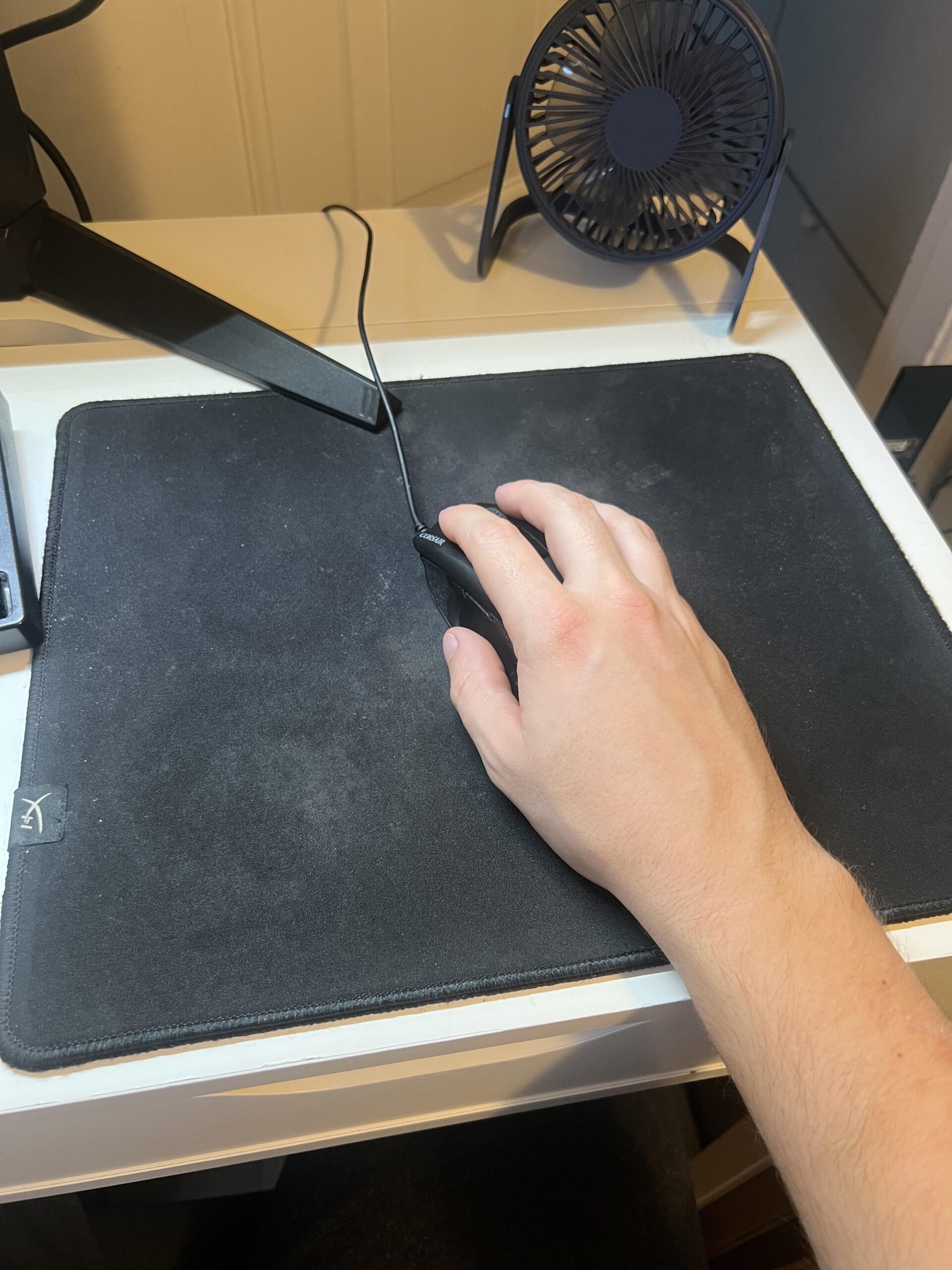
Tracking has been reliable for my use
I do not know my exact DPI setting because I set the sensitivity where it feels right and leave it there. It is somewhere around the middle of the available speed range.
I have not experienced spin-outs, unexplained skipping or recurring tracking problems. The only time I notice poor tracking is when crumbs or similar debris get onto the mousepad and interfere with the sensor. Cleaning the surface fixes it.
My gaming use also needs context. I have played Counter-Strike and World of Warcraft, but much of my gaming time has been Hearthstone. I am not claiming that I stress-tested the sensor at professional competitive-FPS level.
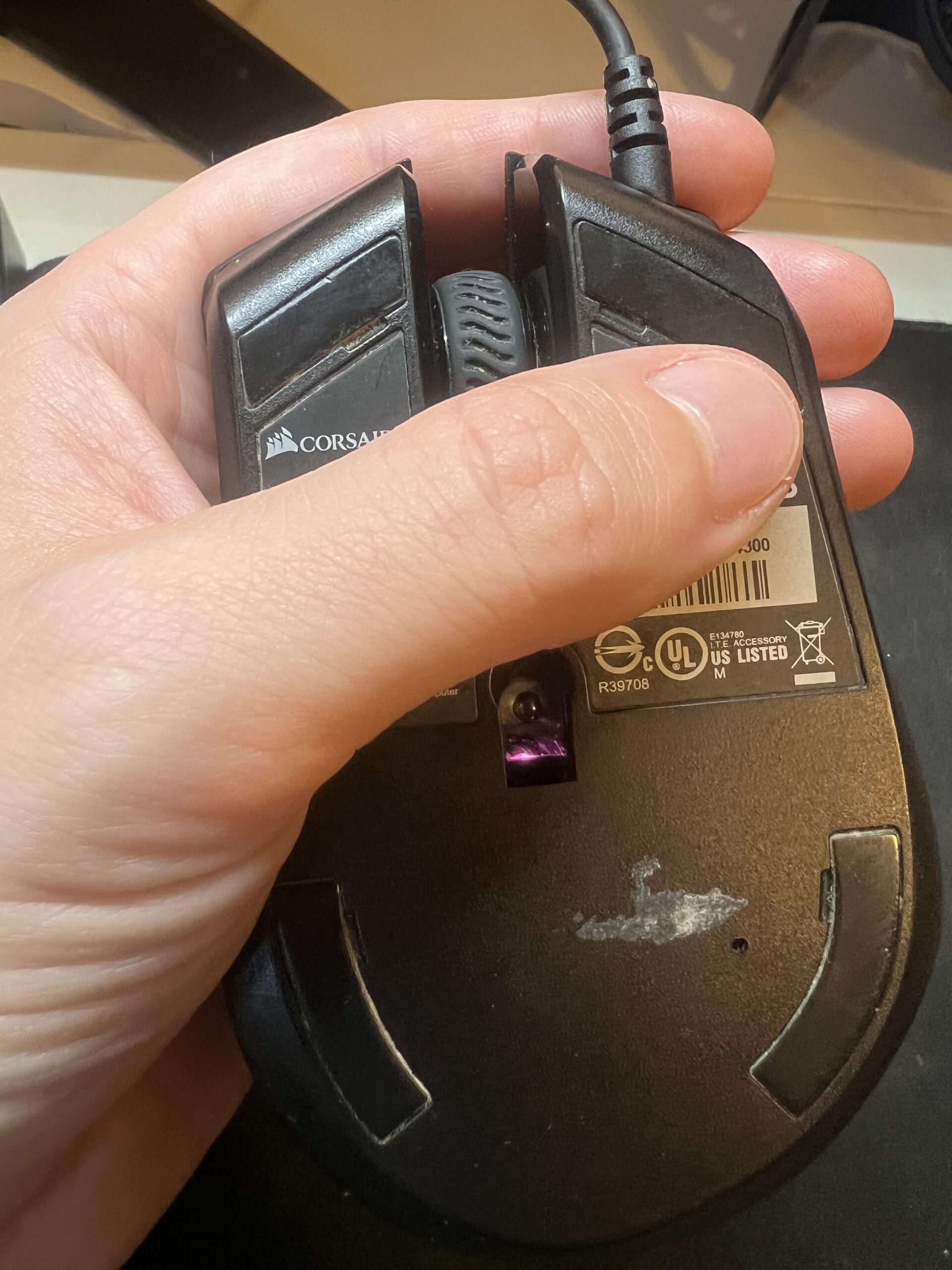
The browser-back button is one of my favorite features
I use the side buttons, especially the back button, constantly for normal desktop use. Their position feels natural to me and I can reach them easily with my thumb.
This is one reason I do not think of the Harpoon RGB as useful only for gaming. The extra buttons are genuinely convenient while browsing and working, and all of them still function correctly.
The scroll wheel has held up extremely well
The scroll wheel still works very well and is one of the parts I particularly like. I have not had inconsistent scrolling or middle-click failure.
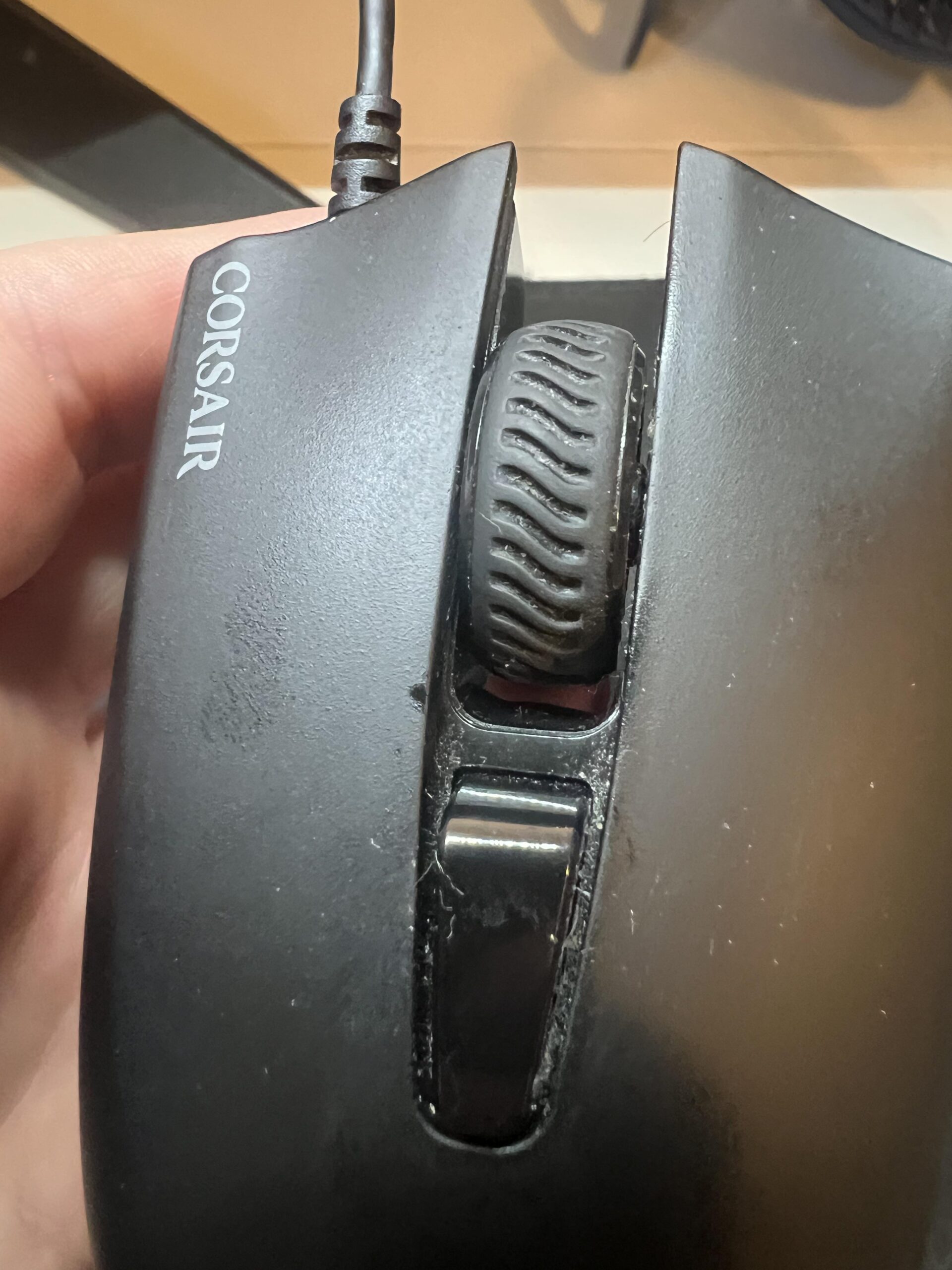
I do not like the DPI button
I almost never intentionally change DPI. Once I find a sensitivity I like, I leave it there.
The problem is that I occasionally press the DPI button by accident. The pointer speed changes, and I then have to cycle through the settings until it feels normal again. For someone who actively switches sensitivity it may be useful; for me it is mostly an annoyance.
I never needed Corsair’s software
I have not used Corsair iCUE/CUE for macros, remapping or lighting profiles. The mouse has worked perfectly well for my needs as a plug-and-play device.
The illuminated Corsair logo still works after all these years. For me, the RGB is mostly decoration rather than a reason to buy the mouse.
The cable has been completely reliable
I have never had cable disconnects and I do not notice meaningful cable drag. At the same time, being wired is probably the biggest general limitation I can identify today because another cable on the desk can occasionally be inconvenient.
I still personally lean toward wired mice because I do not want to think about charging or batteries, and I have had wireless peripherals lose connection in the past.
How does the original Harpoon RGB compare in 2026?
The original Harpoon RGB still does everything I need, but the market has moved forward. Corsair’s newer Harpoon RGB PRO uses a 12,000-DPI sensor. Other current budget wired options include the Logitech G203 LIGHTSYNC, with adjustable 200–8,000 DPI sensitivity and a six-button design, and the Razer DeathAdder Essential, with a 6,400-DPI sensor and five programmable buttons.
| Mouse | Official sensor spec | Buttons | Why consider it |
|---|---|---|---|
| Corsair Harpoon RGB (my mouse) | 6,000 DPI | 6 programmable | Proven long-term durability in my unit |
| Corsair Harpoon RGB PRO | 12,000 DPI | 6 programmable | Natural newer Harpoon-family alternative |
| Logitech G203 LIGHTSYNC | 200–8,000 DPI | 6-button design | Current inexpensive wired alternative |
| Razer DeathAdder Essential | 6,400 DPI | 5 programmable | Larger ergonomic right-handed shape |
I have not personally tested those exact current alternatives for this review, so this is a specification and positioning comparison, not a claim that one feels better than another.
What about my old Razer mouse?
Before the Harpoon, I owned a Razer DeathAdder-series gaming mouse that failed substantially sooner. I no longer remember the exact version, and I also gamed more aggressively at the time, so I would not use that experience to claim that Corsair mice are generally more durable than Razer mice.
What I can say is that the Harpoon RGB has lasted far longer for me than that previous mouse.
Was it worth about 250 DKK?
Absolutely. My remembered purchase price is only approximate, but around 250 DKK for roughly seven years of primary use is outstanding value.
The mouse has needed no replacement parts or repairs, and there has been no functional failure that would make me want to replace it.
Why I rate the Corsair Harpoon RGB 4.5/5
My overall rating is 4.5/5. This follows the public Jon Tests rating method: criteria relevant to the product total 100%, each criterion is scored from 1.0 to 5.0 from the documented evidence, and the weighted result is rounded to one decimal place.
| Criterion | Weight | Score | Why |
|---|---|---|---|
| Durability & reliability | 25% | 5.0/5 | About seven years as my primary mouse with all original parts and no functional failures. |
| Comfort & fit | 20% | 4.6/5 | Comfortable for long sessions with no hand or wrist pain; only slightly small if I had to criticize it. |
| Tracking & sensor | 15% | 4.5/5 | No recurring tracking problems in my normal desktop and gaming use. |
| Controls & buttons | 10% | 4.2/5 | Excellent side-button placement and scroll wheel, but I sometimes trigger the DPI button accidentally. |
| Build & wear | 10% | 4.0/5 | Still solid, but the rubber side grips developed obvious cosmetic wear relatively early. |
| Features in 2026 | 10% | 3.8/5 | Still useful, but the 6,000-DPI platform and wired design are old compared with newer gaming mice. |
| Value for money | 10% | 5.0/5 | Exceptional longevity for the roughly 250 DKK I remember paying. |
| Weighted rating | 4.5/5 | 4.545 before rounding. | |
Who should buy it?
- Good fit: desktop users who want a simple, reliable wired mouse.
- Good fit: casual and mainstream PC gamers who value comfort and useful side buttons.
- Good fit: buyers who find an original Harpoon RGB very cheaply and care more about proven basics than cutting-edge specs.
- Consider something newer if: you want a modern ultra-light competitive mouse, very high DPI, newer sensor technology or wireless portability.
- Laptop users: I would generally lean toward a wireless mouse for portability unless you specifically prefer wired reliability.
Would I buy it again?
I would not automatically buy the exact same model again, even though I have been very happy with it.
The main reason is simply age: the original Harpoon RGB is an old design, and there are newer choices worth investigating. If mine broke tomorrow, I would compare the current market before buying.
I would probably still choose a wired mouse because avoiding batteries and wireless connection problems is valuable to me.
Check the original Corsair Harpoon RGB listing on Amazon (paid link) →
Frequently asked questions
Is this the Harpoon RGB PRO?
No. My mouse is the original Corsair Gaming Harpoon RGB, model RGP0030, from the CH-9301011 product family. The later Harpoon RGB PRO uses a 12,000-DPI sensor.
How long has my Corsair Harpoon RGB lasted?
About seven years as my primary desktop mouse. Based on roughly 20 hours of weekly use, I estimate around 7,000 hours in total.
Has it developed double-clicking?
No. I have not experienced double-clicking, missed clicks or failed buttons on my unit.
How has the rubber grip held up?
The side grips are visibly worn and I remember cosmetic wear appearing after roughly the first year. They still feel fine to me.
Does the RGB still work?
Yes. The RGB lighting still works after roughly seven years.
Would I buy it again in 2026?
I would compare newer models first. I like my Harpoon RGB and would trust another one at a very low price, but I would not ignore newer wired mice simply because mine has lasted so well.
Sources and review method
- My own original Corsair Harpoon RGB (RGP0030), approximately seven years of ownership, roughly 7,000 estimated hours of use and the original photos shown here.
- Corsair — original Harpoon RGB product page.
- Corsair — Harpoon RGB PRO.
- Logitech G — G203 LIGHTSYNC.
- Razer — DeathAdder Essential.
- Jon Tests — How I Test.