Canon PIXMA TS3351 Review: 5+ Years of Home Printing
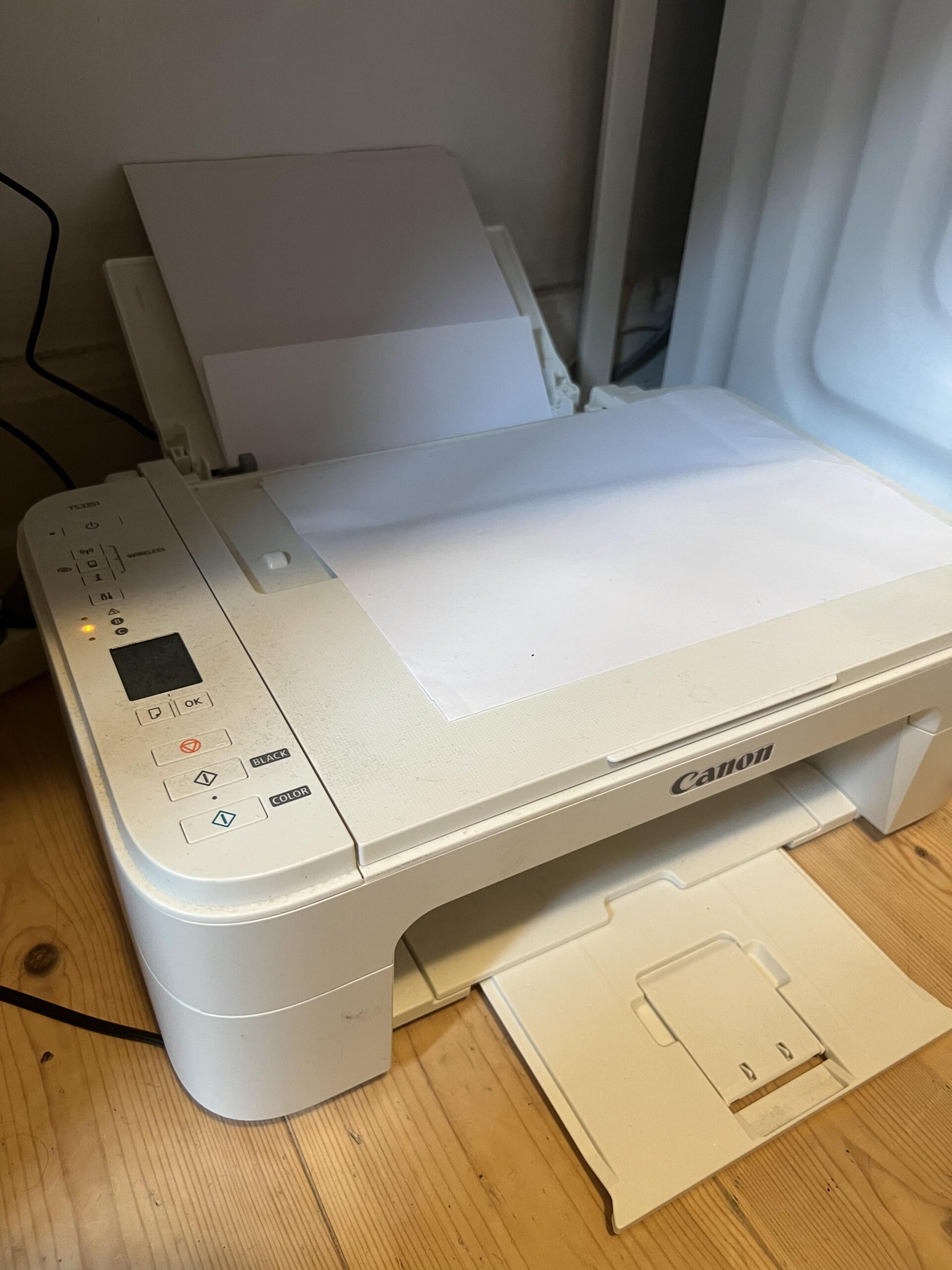
Canon PIXMA TS3351 review after more than five years: 3.8/5. I bought my white Canon PIXMA TS3351 at Elgiganten on June 15, 2021, for 378 DKK. By October 2026, it has survived over five years of occasional home printing and, by my rough estimate, around 700 printed pages. It has been good enough for flight documents, package shipping labels and small university assignments—but it has two very frustrating weaknesses: Wi-Fi setup and print quality when the ink indicator is low.
If your printing needs are as light as mine, I think this is a serviceable, very affordable home printer. If you regularly print for a business or want effortless wireless printing, I would look for something more convenient. Would I buy it again? Maybe. It has genuinely lasted, but I would first compare newer printers and their cartridge costs.
Affiliate disclosure: This article includes a paid Amazon link. As an Amazon Associate, I earn from qualifying purchases, at no extra cost to you. I purchased my printer myself for 378 DKK and received no discount, sponsorship, free product or other compensation. The supplied Amazon listing is for a related black TS3350 variant, not my exact white TS3351; check the model and color carefully before ordering. My review and rating are independent of any commission. Full disclosure.
I bought: White TS3351 · June 15, 2021 · Elgiganten
My cost: 378 DKK (original printer purchase only)
Use: ~700 pages estimated · intermittent home printing
Paid link · May show black TS3350 rather than white TS3351 · check exact variant
Canon PIXMA TS3351 — White All-in-One Inkjet
Quick verdict: A cheap printer that has lasted for years and prints ordinary black-and-white and color documents adequately. Its low-ink streaking and troublesome wireless setup are major drawbacks.
Good for: occasional boarding passes, parcel labels, school paperwork and basic documents in a small home.
Skip if: you need frequent office printing, predictable low running costs, fast batches of documents or a smooth Wi-Fi installation experience.
Important: This is my white TS3351 review. The black TS3350 shares the printer family, but I did not personally test a black TS3350.
What I liked
- Excellent initial purchase value: just 378 DKK in 2021
- Still working after over five years
- Good enough black text and color for normal documents with healthy ink
- Easy wired printing once I abandoned Wi-Fi
- Useful compact rear feed and folding output tray
What frustrated me
- Streaks and missing lines at roughly 20% indicated ink in my experience
- Wireless/software setup was difficult enough that I stopped trying
- Fairly noisy and not especially fast
- One or two remembered paper jams, plus occasional restarts
- Ink replacements can make ownership much more expensive than the printer’s initial price
Bottom line: 3.8/5. For my limited needs, the TS3351 has been satisfactory and surprisingly durable. I would not give it an enthusiastic blanket recommendation, though: if buying a printer today, I would compare new models and total cartridge costs before choosing it again.
More than five years with my Canon PIXMA TS3351
The timeline matters. I bought this printer on June 15, 2021 and am writing this in October 2026—approximately five years and four months later. The printer has not seen heavy-duty use. There have been long periods when I barely printed, so I cannot honestly present this as five years of daily office workloads.
My best estimate is around 700 pages in total, but that number is a guess rather than a device reading. Most prints have been travel documents, labels for sending parcels and small things for university. This kind of use is where I think the inexpensive TS3351 makes the most sense. For a machine that only needs to print occasionally, the basic result is usually adequate.
Print quality: good enough until the ink runs low
When the cartridges have enough usable ink, I am satisfied with ordinary black-and-white text and color documents. They tend to be reasonably sharp for what I print. I do not use this printer for photographic prints, so I cannot judge fine photo detail, color accuracy or borderless photo performance despite the manufacturer’s advertised photo capabilities.
The major print-quality frustration comes at low indicated ink levels. When the printer suggests roughly 20% ink remaining or less, I have repeatedly noticed horizontal streaks and missing sections. On important shipping labels or tickets, those missing sections can become especially annoying: some machine-readable details may fail to scan if the printing is streaked. I end up replacing the cartridge earlier than I would like to restore acceptable printing.
I want to be precise about what this proves. The 20% figure is my rough reading of an estimated indicator—not a measured volume of unused ink left in the cartridge. I have not measured the ink physically or conducted controlled yield tests. Streaking can also be caused by nozzle conditions, print settings or other maintenance issues, so I cannot establish that Canon deliberately prevents the last 20% from printing properly.
Canon’s official TS3300-series online manual recommends checking the nozzle pattern, performing print-head cleaning when needed and reviewing estimated ink levels if white streaks or faint printing appear. I have not documented a controlled before/after maintenance test and do not claim that cleaning will necessarily resolve my issue. It is still worth trying those steps before discarding a cartridge early.
Wi-Fi setup was frustrating; USB is much easier for me
When I first got the printer, I remember struggling with Canon’s software and wireless setup. I spent enough time on it that I eventually gave up instead of continuing to troubleshoot. I now connect the TS3351 directly to my computer with a cable, which has been much simpler for my occasional printing.
This is my setup experience, not proof that wireless connections fail on every TS3351. Canon advertises built-in Wi-Fi, its Canon PRINT app, AirPrint and Mopria support in the official TS3351 specification. Other owners may set them up without difficulty; I just cannot review the long-term stability of those wireless features because I did not persist with them.
For an occasional home device, keeping a cable nearby is tolerable. For a family sharing a printer across phones and laptops, or for someone who expects effortless wireless printing, it could be a significant inconvenience.
Speed and noise: acceptable at home, not suited to a busy office
The printer feels quick enough when I only need a boarding pass or a return label. My impression is that a page may take around 20 seconds, but I have never formally timed a controlled series of pages; this should not be read as a manufacturer specification or a pages-per-minute benchmark. Settings, first-page delay, paper type and color can change the time.
It also makes a noticeable amount of noise. Neither issue bothers me much because it sits in my apartment and is used intermittently. But if I needed dozens of pages regularly in an office, I would want a faster and quieter device.
Ink cartridges: the part of ownership I dislike most
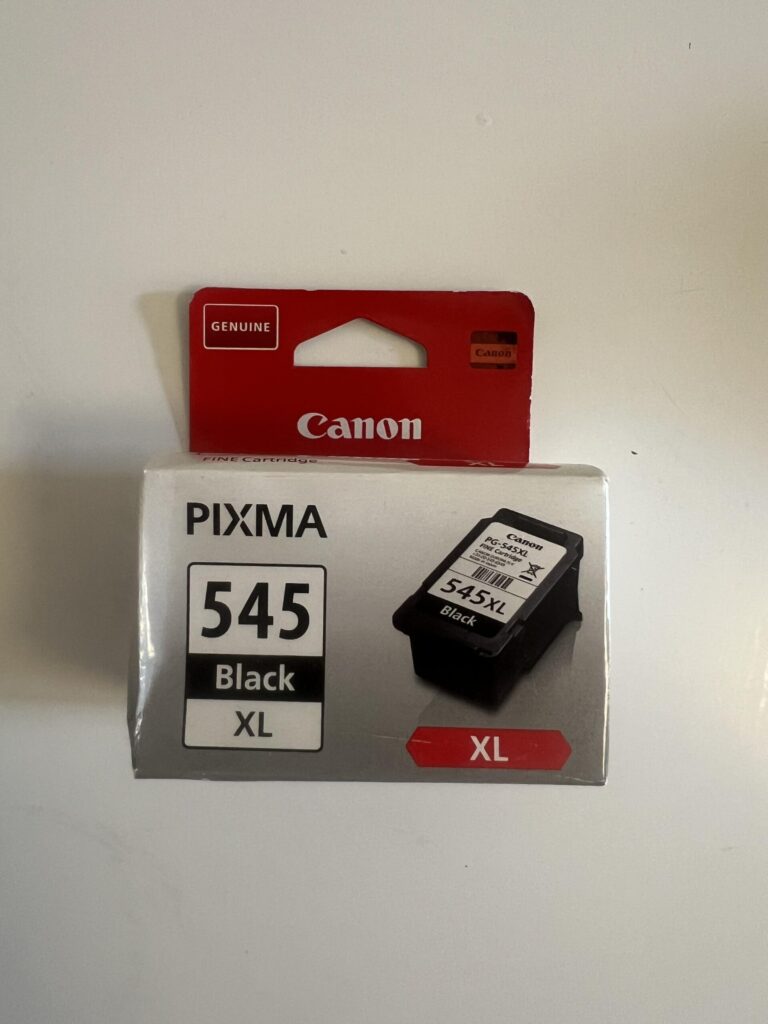
Over more than five years, I believe I have been through my third or fourth black cartridge and have replaced the color cartridge once. These are approximate recollections, not an exact purchase record. I have recently bought an XL black cartridge to try for higher capacity. I do not remember the exact prices of the cartridges I bought, so I cannot honestly calculate a lifetime ink cost or a dependable cost per page.
Canon specifies PG-545 black and CL-546 color cartridges for this printer, with PG-545XL and CL-546XL high-capacity alternatives; its official TS3351 ink selection lists the supported replacements. The PG-545 shown in my original picture is a real cartridge from my printer, not a manufacturer-supplied promotional image.
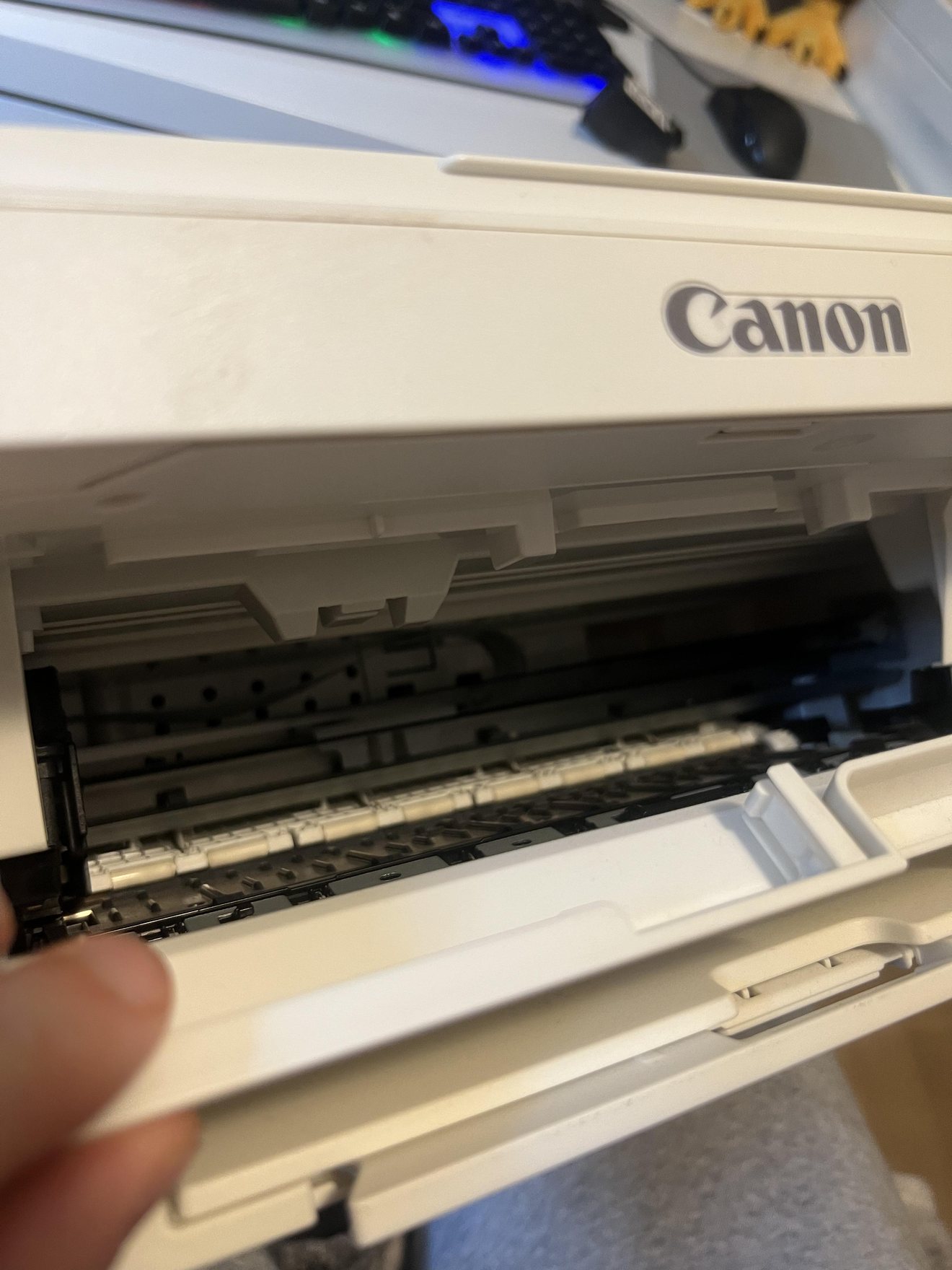
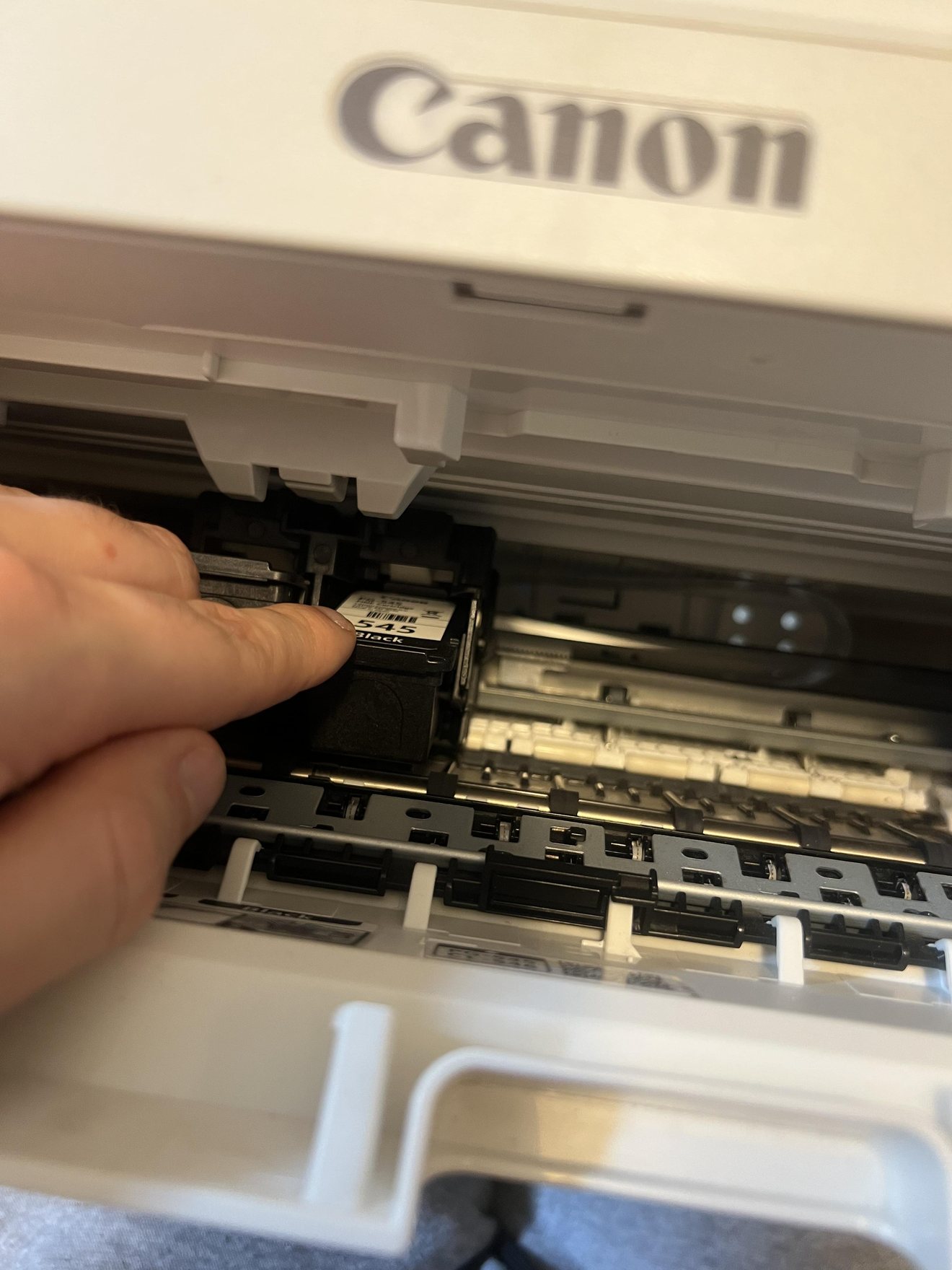
To be fair, I have not had significant trouble with cartridges drying out or clogging, despite periods without printing. My complaint is specifically that the quality becomes unusable as the ink indicator gets low. Buying the machine for 378 DKK was excellent value upfront, but a low printer price says very little about the lifetime expense if you print frequently.
How I would compare printers today: add the cost of ink replacements to the machine price, compare actual page yield for your use, and consider a laser or refillable-tank alternative if you print many pages. I have not personally tested a modern tank or laser model head-to-head with this TS3351.
Paper handling, jams and physical design
The rear paper feeder and front folding tray are small features I have grown to appreciate. The output tray pulls out quickly, catches the printed sheet and helps keep paper from falling away. The printer also fits my home environment without requiring a large dedicated workstation.
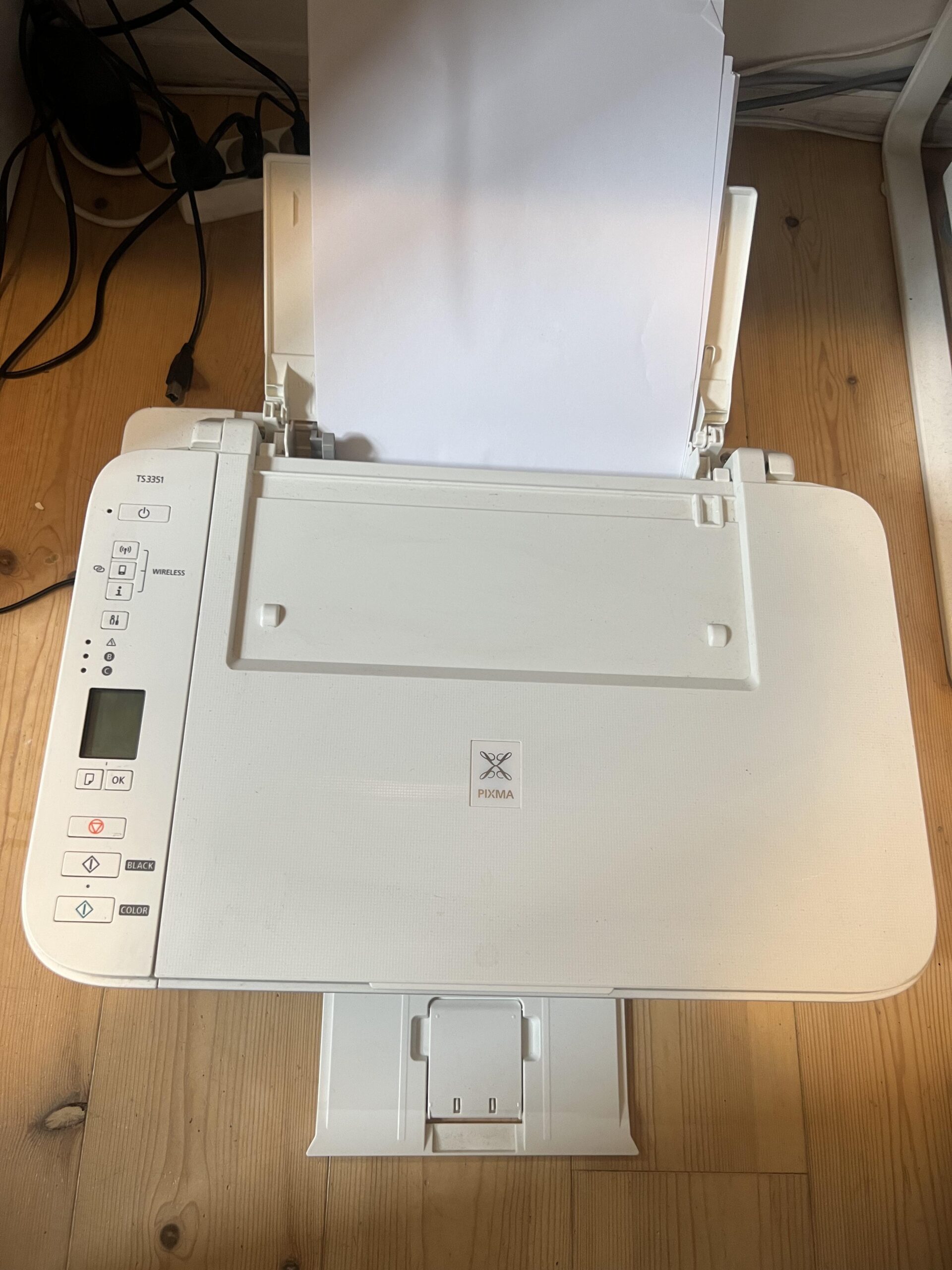
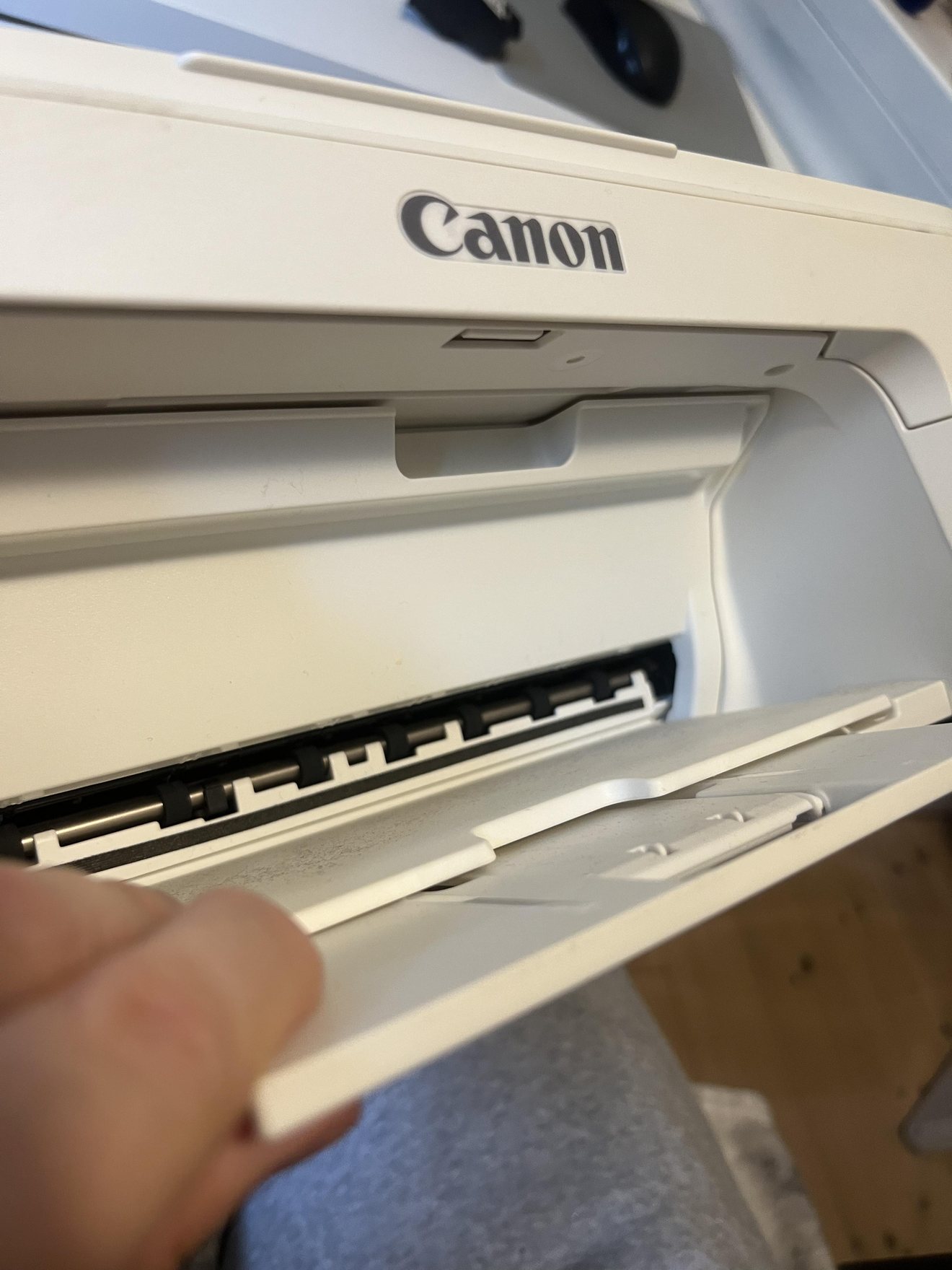
I can remember one or two paper jams over the years and a few occasions when the printer produced an error that I solved by restarting it. With my relatively light use, this has not been a major reliability problem. I would not extrapolate these experiences to a monthly print capacity, though, because I never stress-tested it.
Scanner and copier: included, but not personally tested
The TS3351 is marketed by Canon as a print/scan/copy all-in-one printer with a flatbed scanner. My original photo below shows the scanning glass beneath the open lid. I have not used the scanner or copier myself, so I cannot rate scan quality, copying speed, OCR reliability or the ease of using those functions.
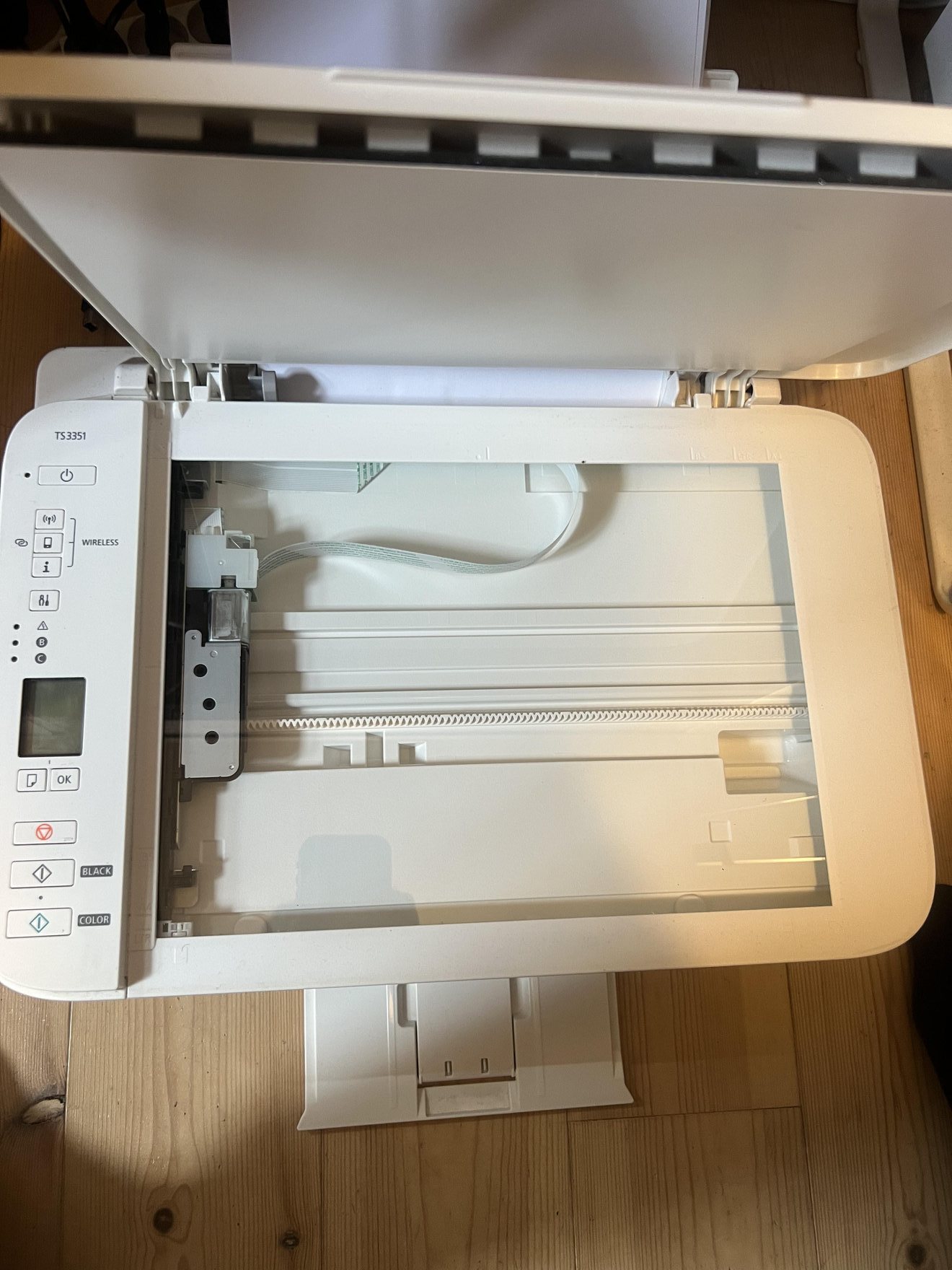
This is important if scanning and copying are a key reason you would buy it. My overall score is mainly a judgment of its basic home printing, longevity, setup and ink experience, not a full test of every advertised function.
Canon PIXMA TS3351 vs TS3350: make sure you buy the right variant
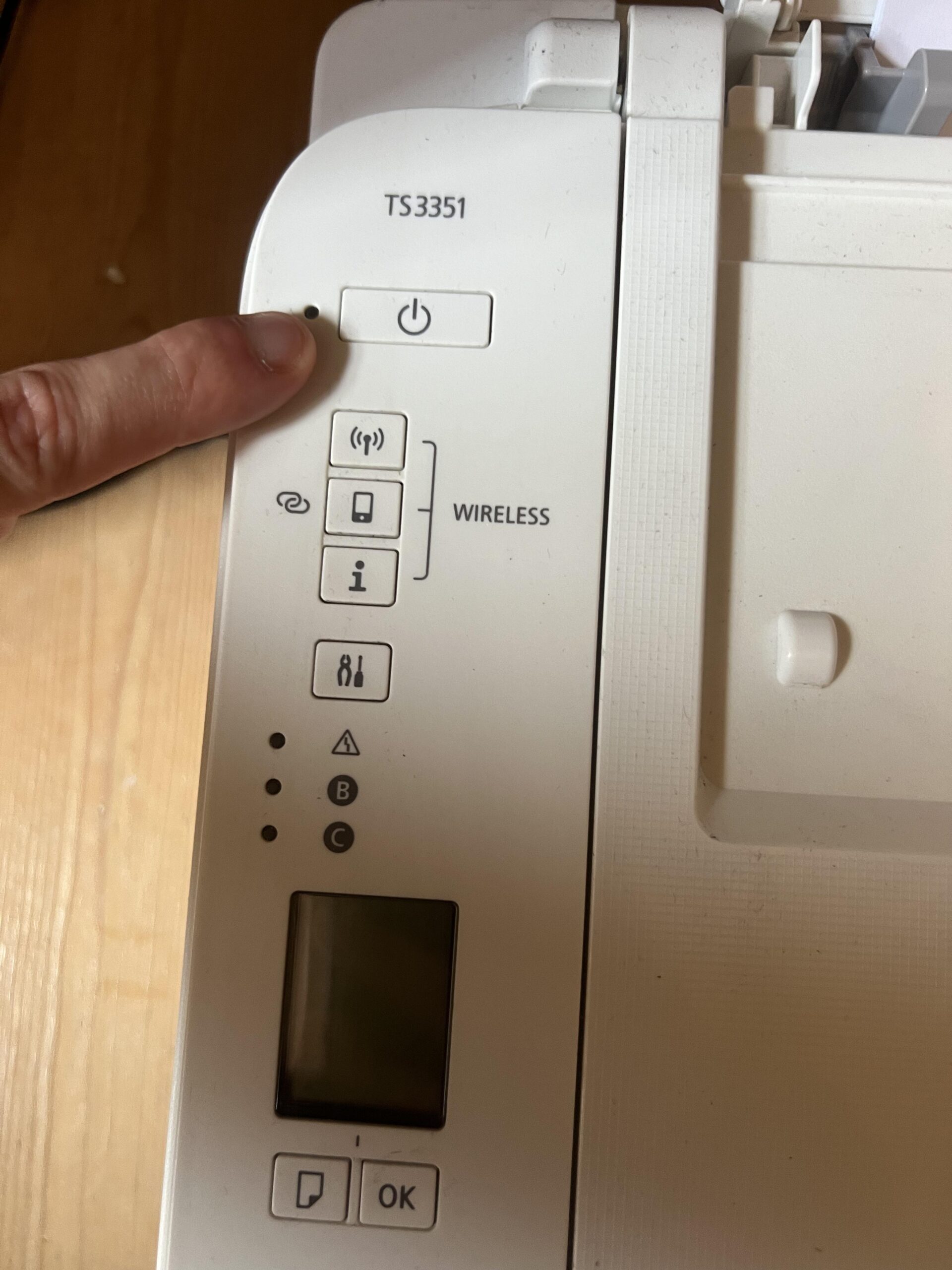
Mine is the white Canon PIXMA TS3351. This is confirmed by the model name printed on its control panel in my photos and by Canon’s own listing for the white model. The Amazon Germany link originally supplied for this review names the black TS3350. Both are members of the TS3300 printer family and share key capabilities, but I have not used the black TS3350 myself.
| Important difference | TS3351 (tested) | TS3350 (linked listing) |
|---|---|---|
| Printer color | White | Black |
| My hands-on test | Yes, since June 2021 | No |
| Product family | PIXMA TS3300 series | PIXMA TS3300 series |
| Main functions | Print / scan / copy per Canon; only printing reviewed | Print / scan / copy per Canon; untested by me |
| What to verify before ordering | Exact white TS3351 availability | Actual black TS3350 variant and seller conditions |
The supplied short Amazon affiliate link has not been independently resolved to its final product destination. For that reason, the product card uses the wording “Check Amazon offer (verify model)”, not “Buy the exact TS3351.” Do not assume a listing offering a TS3350 is for the white printer pictured here. Canon’s own Danish store currently labels its TS3351 listing as discontinued, so availability of the white model may be limited.
Is the TS3351 still good value after five years?
For me, the strongest argument in its favor is that a printer bought for 378 DKK in 2021 still works years later. There have been minor jams and glitches, but nothing that forced me to replace it. It suits sporadic home printing much more than professional use.
The counterargument is that the low price does not capture the inconvenience of getting wireless printing working, the time wasted replacing a cartridge when output becomes streaked, or future ink costs. Someone printing daily may find that a more expensive printer with lower running costs and a smoother setup is a better buy over several years.
How I calculated the 3.8/5 rating
These are my editorial judgments based on one printer and intermittent long-term use, not measured laboratory results, a reliability survey or an average of customer ratings. I gave extra weight to basic document quality and longevity, since those are the tasks this printer actually performs in my home. The ink and Wi-Fi frustrations meaningfully reduce the result.
| What I rated | My rating | Weight | Weighted points |
|---|---|---|---|
| Long-term reliability and initial value | 4.8/5 | 25% | 1.200 |
| Everyday document print quality | 4.2/5 | 25% | 1.050 |
| Ink economy and low-ink output | 2.7/5 | 20% | 0.540 |
| Setup and wireless experience | 2.4/5 | 15% | 0.360 |
| Home-use speed and paper handling | 4.0/5 | 15% | 0.600 |
| Total | — | 100% | 3.750 → 3.8/5 |
Long-term reliability and initial value (4.8/5): The printer has remained usable since June 2021; the original 378 DKK purchase price was low. One or two paper jams and occasional restarts have not ended its useful life.
Everyday document print quality (4.2/5): Text, shipping labels and occasional color documents are normally sharp enough with healthy ink; I have not tested photo printing.
Ink economy and low-ink output (2.7/5): Streaking and missing print sections start at roughly 20% displayed ink in my experience, pushing me to replace cartridges before I think they are empty. Exact running costs are unverified.
Setup and wireless experience (2.4/5): I found the Wi-Fi/software setup frustrating enough to abandon and switched to a straightforward wired USB connection.
Home-use speed and paper handling (4.0/5): The roughly 20-second-per-page impression is acceptable for infrequent household tasks, and I like the output tray, though it is fairly noisy.
Calculation: (4.8 × 25%) + (4.2 × 25%) + (2.7 × 20%) + (2.4 × 15%) + (4.0 × 15%) = 3.750/5, rounded to 3.8/5. Because I never used the scanner or copier, those functions have not received invented test scores.
Who should buy it, and who should skip it?
Consider this type of entry-level Canon printer if your needs are like mine: occasional letters, labels, boarding passes and basic study documents, and you are comfortable with a cable connection. A low purchase price can be compelling when a machine lasts for years.
I would look elsewhere for a busy office, frequent large print jobs, hassle-free printing across many phones and laptops, or users who want highly predictable ink costs. I would also compare modern refillable ink-tank and mono laser printers before replacing this machine today, rather than assuming the same model is still the best deal years after launch.
Would I buy the TS3351 again? Maybe. I am fairly satisfied overall and appreciate that it has lasted. But I would first compare current alternatives that might be simpler to connect and less frustrating when ink is low. That is a more accurate conclusion than saying I love everything about it.
Frequently asked questions
Is the Canon PIXMA TS3351 good for occasional home printing?
Yes, that is exactly how I use mine. It prints flight documents, parcel labels and study materials satisfactorily with usable ink. After more than five years, it still works, but it is not my recommendation for heavy office workloads.
How many pages have I printed with the TS3351?
My rough guess is around 700 pages since June 2021. I did not measure or log the number, so treat it as an estimate only.
Does it print with missing lines when the ink runs low?
Mine often does. At roughly 20% estimated ink remaining, I have seen missing lines and streaks, sometimes interfering with readable or scannable labels. This percentage is a subjective indicator estimate, not proof of how much ink physically remains. Canon recommends nozzle checks and maintenance for streaked prints.
Can I print through Wi-Fi?
Canon lists Wi-Fi support for the TS3351. However, I struggled to set it up and now use a cable. I therefore cannot vouch for long-term wireless reliability from my own experience.
What ink cartridges does it use?
Canon lists PG-545 black and CL-546 color, with XL high-capacity variants. I have recently purchased an XL black cartridge, but I do not have enough verified prices and page counts to calculate lifetime cost per page.
Does the scanner work well?
I have not tried scanning or copying on this printer, so I cannot evaluate those features first-hand.
Is TS3350 the same as TS3351?
They are closely related in the same Canon printer family, but my printer is the white TS3351 and the linked Amazon listing names the black TS3350. Check the exact variant, included items and seller listing before ordering.
Sources, exact variant and editorial independence
The white printer in this review is my own Canon PIXMA TS3351; original photographs show its body, model label, open output tray, scanner lid and cartridge area. My purchase date, price, use pattern, printing quality, frustrations and rating are personal first-hand evidence. Technical features and cartridge compatibility were checked against Canon’s official white TS3351 listing, Canon’s matching ink cartridge catalogue and the TS3300-series manual.
For transparency, this Amazon.de reference URL is for the black TS3350 product listing—not the exact tested white TS3351. The separately supplied Amazon affiliate URL should be checked for final destination and model before purchase. I did not buy this printer through an affiliate relationship. For broader site policies see How I Test and Affiliate Disclosure.