Acer Swift 3 SF314-42 Review: 5+ Years Later
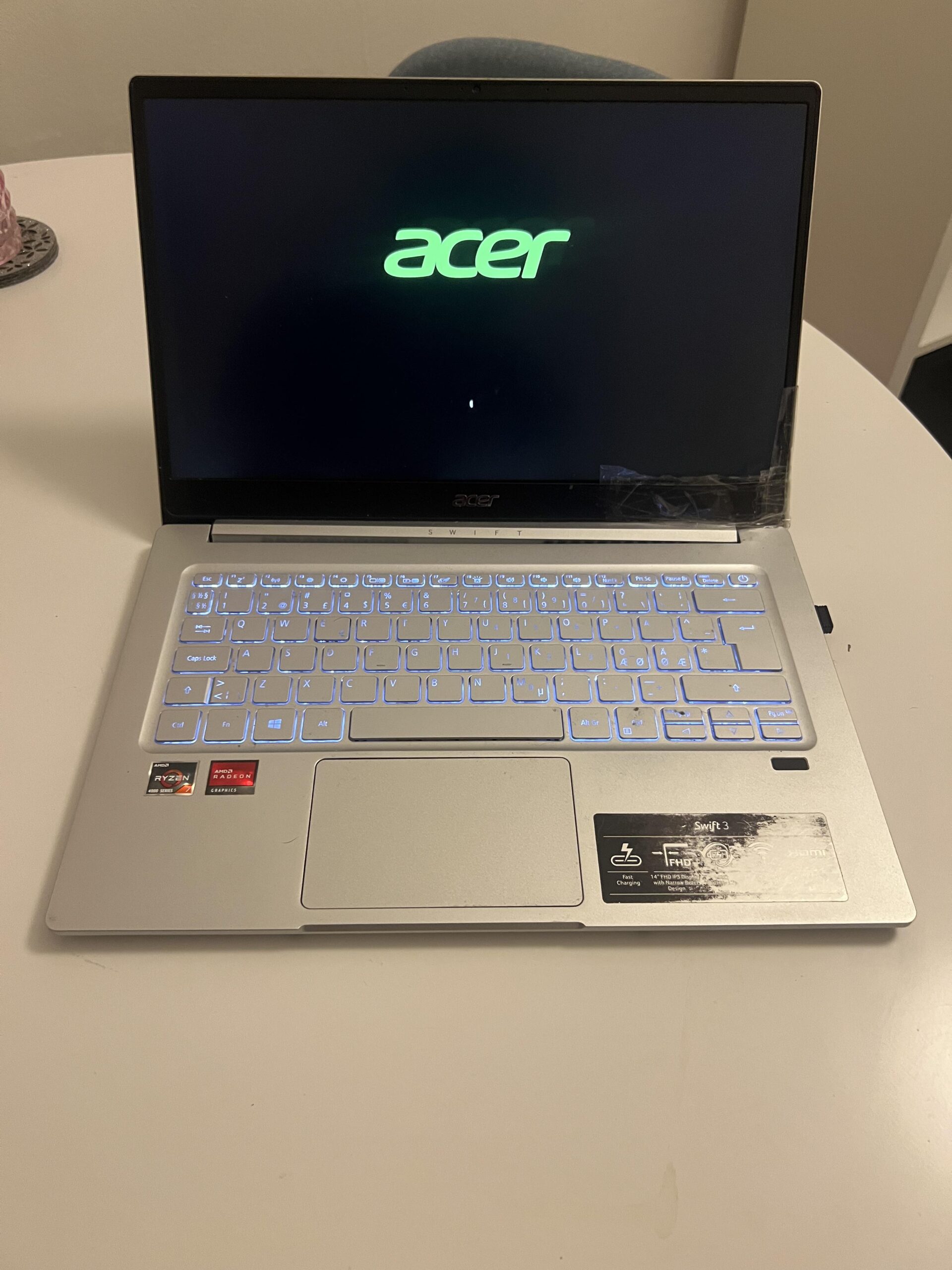
I bought my Acer Swift 3 SF314-42 on January 25, 2021 for 6,525 DKK (about US$1,065 at the January 2021 exchange rate), and I still own the same laptop more than five and a half years later. My configuration has an AMD Ryzen 5 4500U, 16 GB of RAM and a 512 GB SSD, and it originally came with Windows 10 Home.
It has never been repaired. For most of its life it was my main computer for studying, web browsing, YouTube, Netflix and some gaming. I have also travelled extensively with it and taken it on trips around the world.
What surprises me most in 2026 is that the actual performance still feels pretty good. The biggest signs of age are elsewhere: battery life has collapsed, the fan has become annoyingly loud, the fingerprint reader stopped working years ago, and the display and speakers now feel noticeably dated compared with my newer Lenovo IdeaPad Slim 3.
Affiliate disclosure: This review contains a paid Amazon link to a similar US-market Acer Swift 3 variant, not necessarily the exact same RAM/storage/keyboard configuration as my laptop. If you buy through it, Jon Tests may earn a commission at no extra cost to you. I bought my Acer Swift 3 myself at full price and received no free product, discount or compensation. As an Amazon Associate I earn from qualifying purchases. Full disclosure.
Acer Swift 3 SF314-42 — 3.9/5
Quick verdict: The performance and portability have aged surprisingly well after more than five years. The original battery, fan noise, failed fingerprint reader, mediocre speakers and dated display are the main reasons I would choose something newer today.
Best for: study and office work where portability and reliable everyday performance matter more than gaming or media quality.
Skip if: you mainly want a laptop for movies, modern gaming or long battery-powered sessions.
- Still surprisingly fast for normal work in 2026
- Compact and easy to carry for study and travel
- Very good keyboard after years of use
- Reliable SSD, Wi-Fi, Bluetooth, charger and charging port
- Very few crashes over more than five years
- Good-looking, portable design
- Original battery now lasts roughly one hour
- Can shut down while still showing around 20% battery
- Fan has become loud enough for classmates to notice
- Fingerprint reader stopped working after roughly a year
- Display and speakers feel dated compared with my newer Lenovo
How I used it
- Purchased: January 25, 2021
- Price paid: 6,525 DKK (about US$1,065 at the January 2021 exchange rate)
- Configuration: AMD Ryzen 5 4500U, 16 GB RAM, 512 GB SSD
- Original OS: Windows 10 Home 64-bit
- Repair history: none
- Main role: my primary computer for most of the ownership period
- Main use: studying, browsing, YouTube, Netflix and some gaming
- Travel: used on holidays and trips around the world
- Battery: original battery still installed
- Charger: original charger still working
It is still surprisingly fast in 2026
Performance has aged remarkably well for the type of computer this is.
For everyday work I do not really feel that I am using a laptop from 2021. Windows still starts quickly, normal applications feel responsive, and I can generally have a large number of browser tabs open.
Somewhere around 20–30 tabs, depending on what is running, I can start noticing some slowdown. For study work, browsing and streaming, though, I still find the performance entirely usable.
Gaming is possible — within limits
I have played quite a few games on this laptop over the years.
Hearthstone runs fine, and I have also played The Elder Scrolls Online. ESO was playable for me, but only with very low graphics settings.
I would expect similarly lightweight or older games to be the best fit. This is not a laptop I would recommend if gaming is one of your main priorities, and I would not expect good results from demanding modern games at high settings.
The portability has been excellent
This has probably been one of the biggest reasons I kept using the Swift 3 for so long.
It is small, relatively light and easy to put in a bag for school or travel. I have carried it extensively and taken it on trips around the world.
For a student laptop, that combination of compact size and enough performance has worked extremely well for me.
The keyboard has held up extremely well
After years of study use, I still really like the keyboard.
It is pleasant to type on, and I have not had problems with keys becoming loose, failing to register or otherwise breaking down.
The touchpad is less impressive today. I remember it feeling better when the laptop was newer, although I mostly use an external mouse anyway.
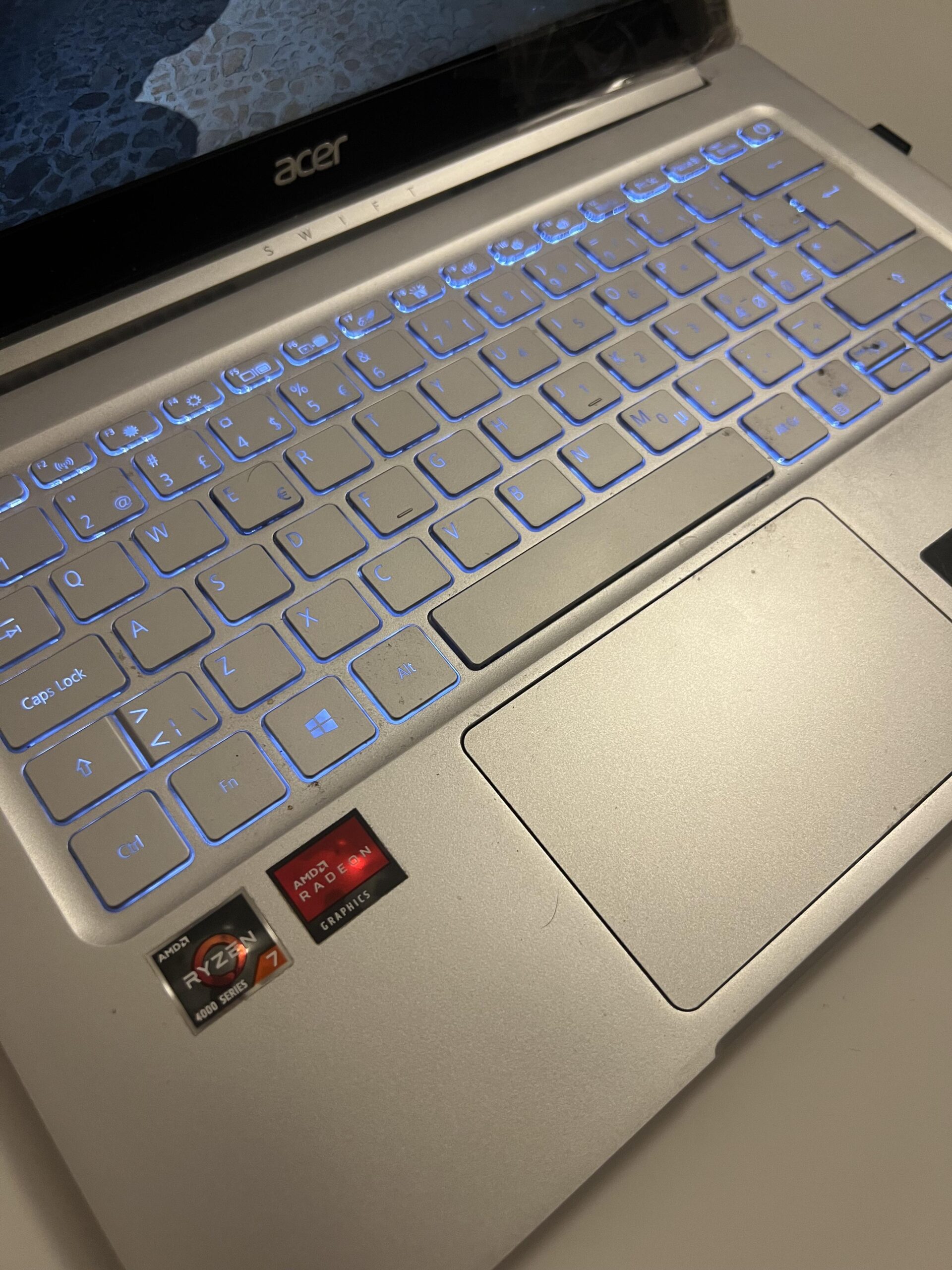
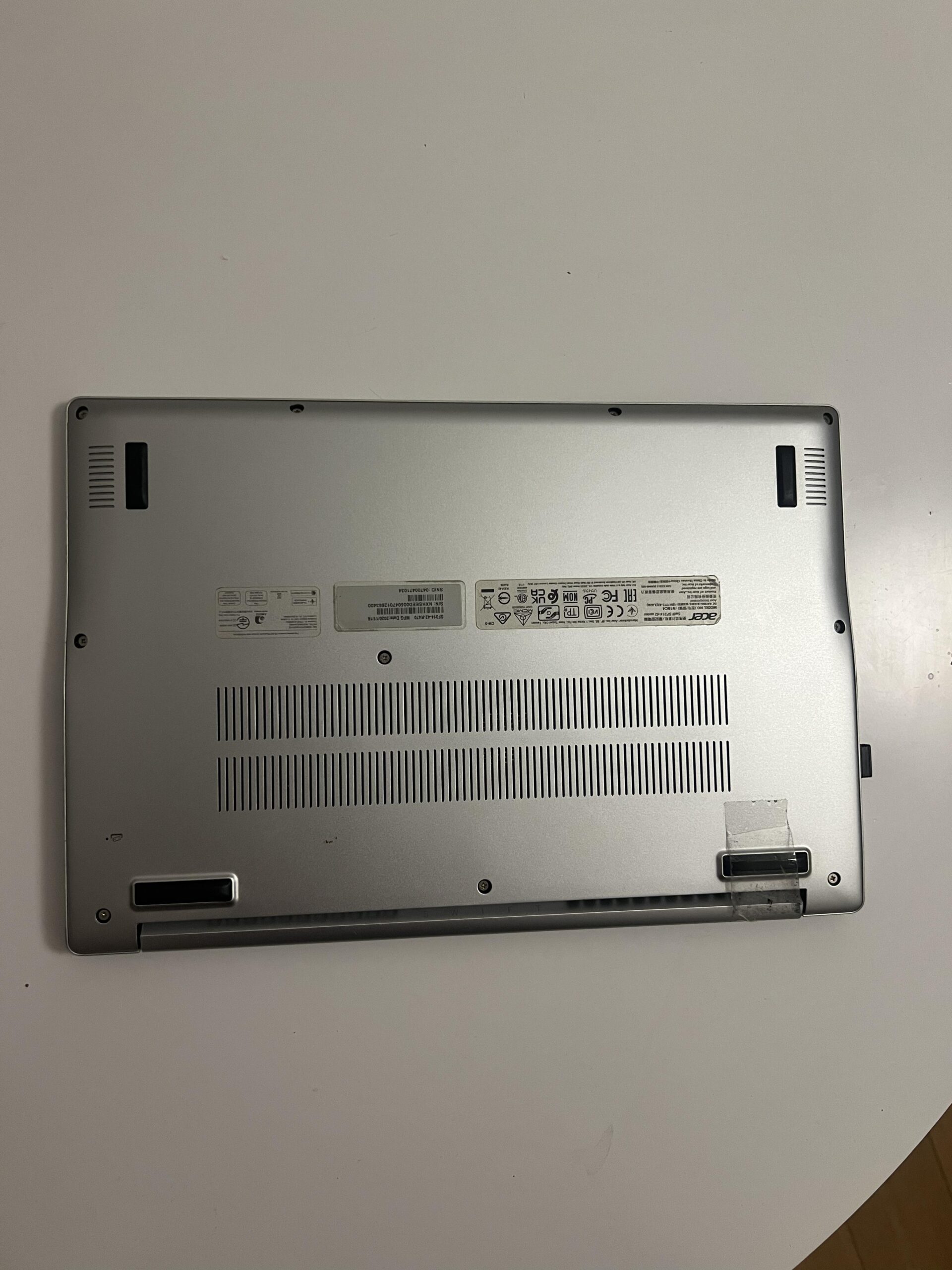
The fingerprint reader failed early
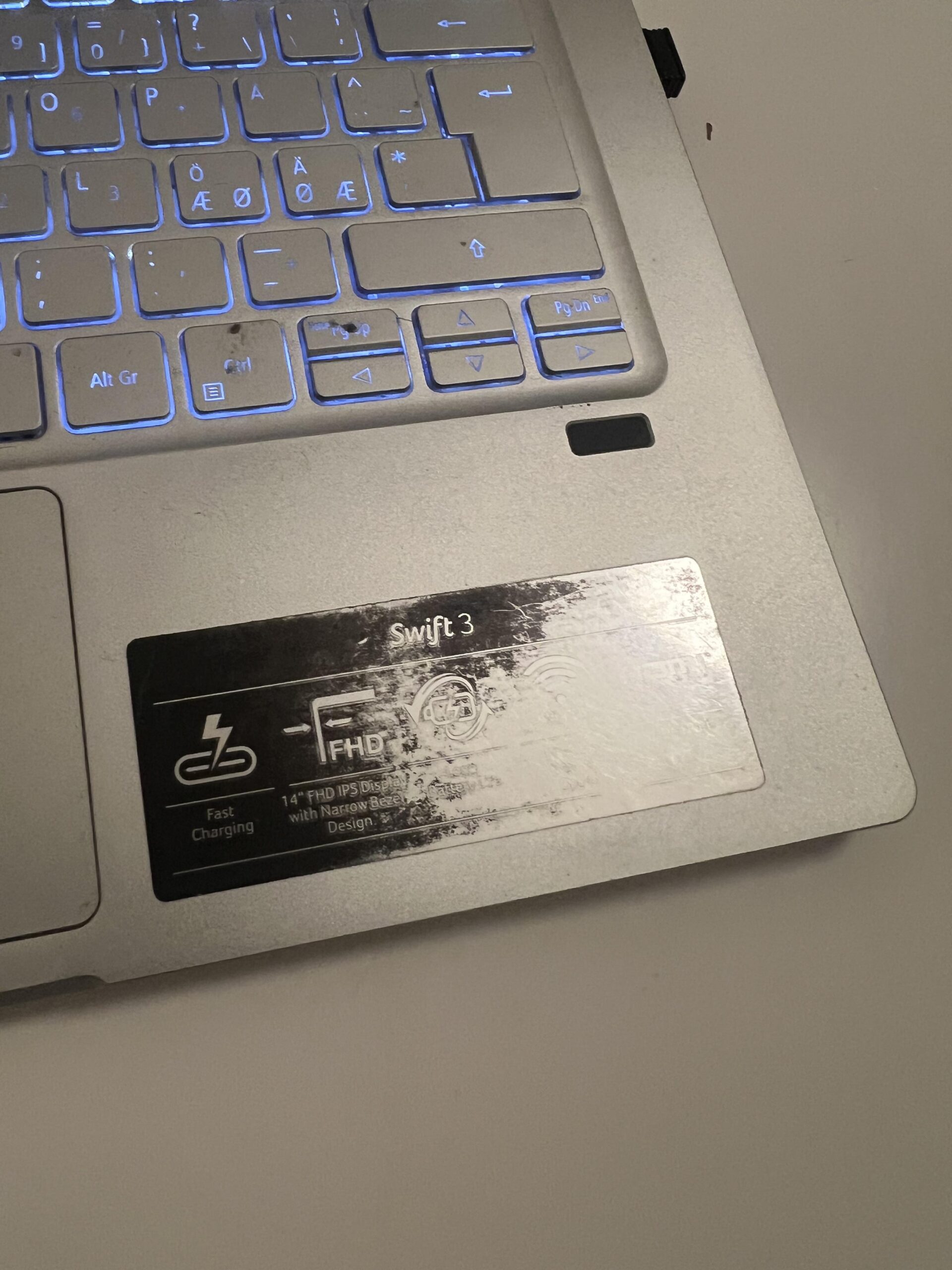
My laptop has a fingerprint reader, but it no longer works.
It functioned when the laptop was new and then stopped working after roughly a year. I never repaired it because it was not important enough to me, but it is still a feature that failed much earlier than I would have expected.
Battery life has deteriorated dramatically
This is easily the biggest long-term weakness.
When the laptop was new, I remember getting somewhere around six to seven hours of real use. I cannot verify that number now, so I treat it as an approximate memory rather than a measured figure.
Today, with the original battery still installed, I get roughly one hour.
The battery indicator is also no longer completely trustworthy. My laptop can shut itself down while showing approximately 20% remaining.
I have never replaced the battery. Considering its age, substantial battery degradation is not surprising, but the laptop is now effectively something I prefer using close to a charger.
The original charger, on the other hand, still works perfectly and I have never had problems with the charging port.
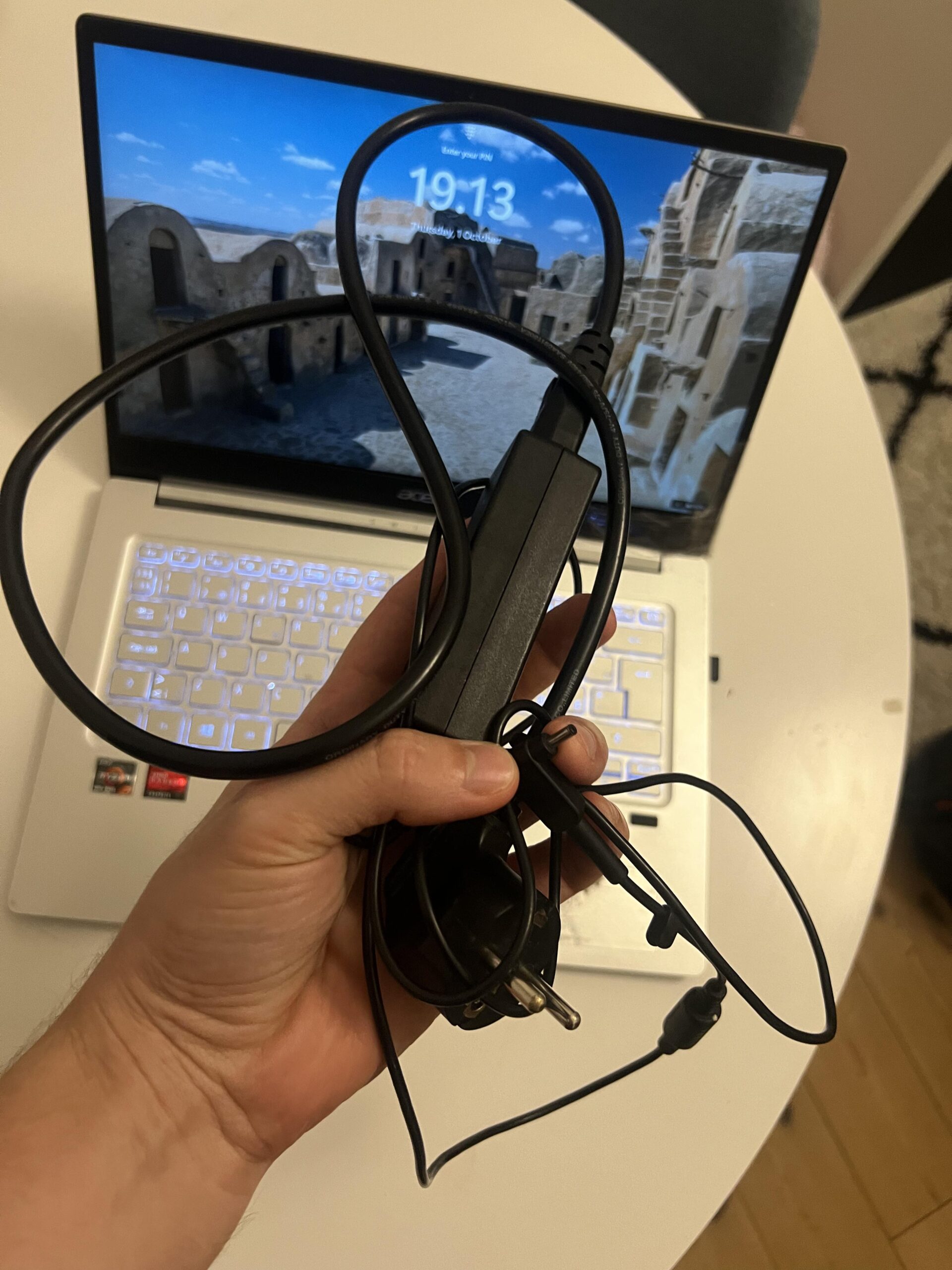
The display is one of the areas that feels dated
The 14-inch display is still usable, but having my Lenovo IdeaPad Slim 3 next to it makes the weaknesses much easier to notice.
Movies look clearly better on the Lenovo. To my eyes, the Lenovo has better colors, better sharpness and better viewing angles. Brightness is more similar between them.
The Acer can also be difficult to see properly when I am sitting near a bright window.
The resolution is fine for normal work. It is the overall image quality that no longer impresses me.
My damaged screen is not Acer’s fault
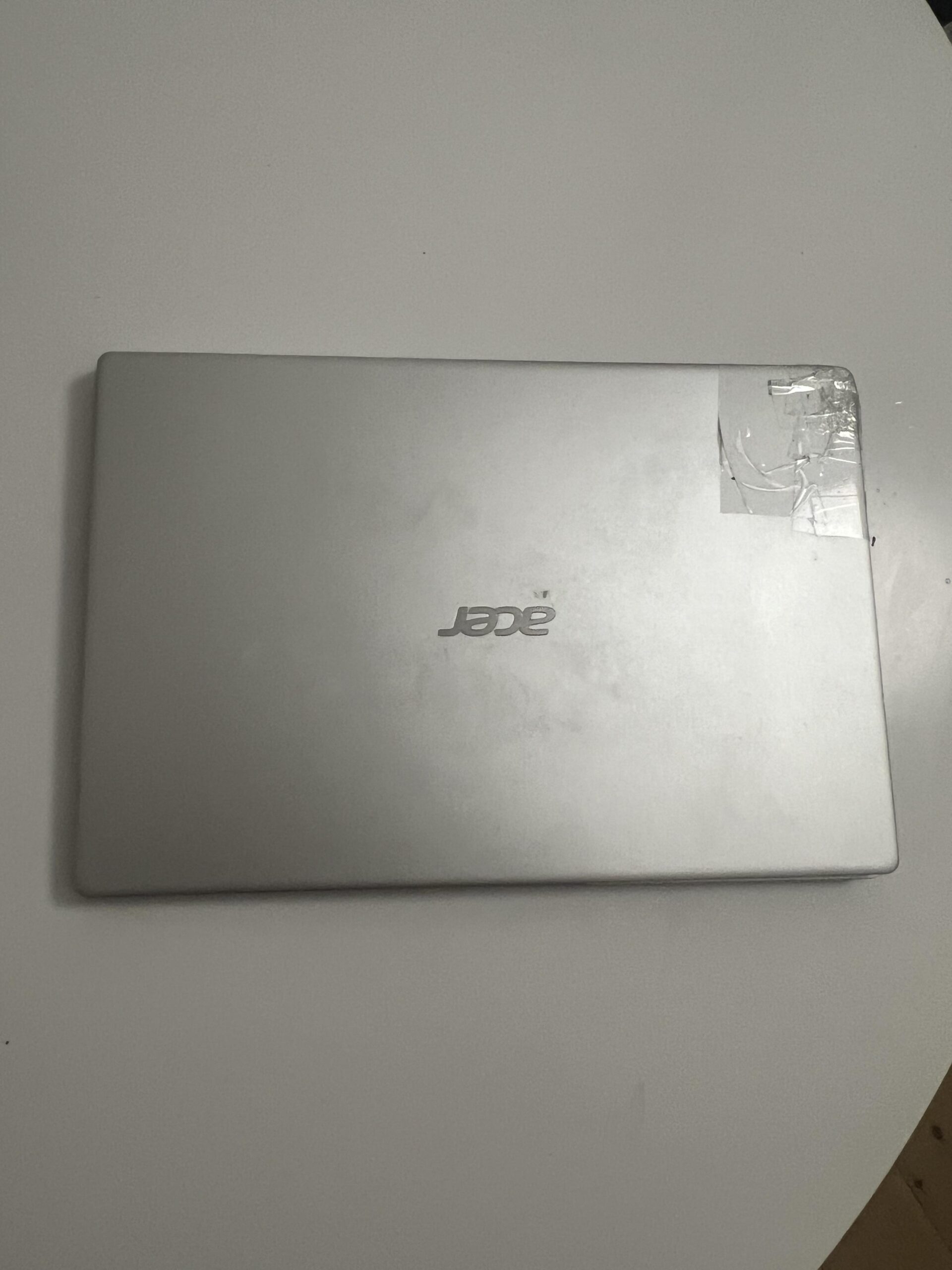
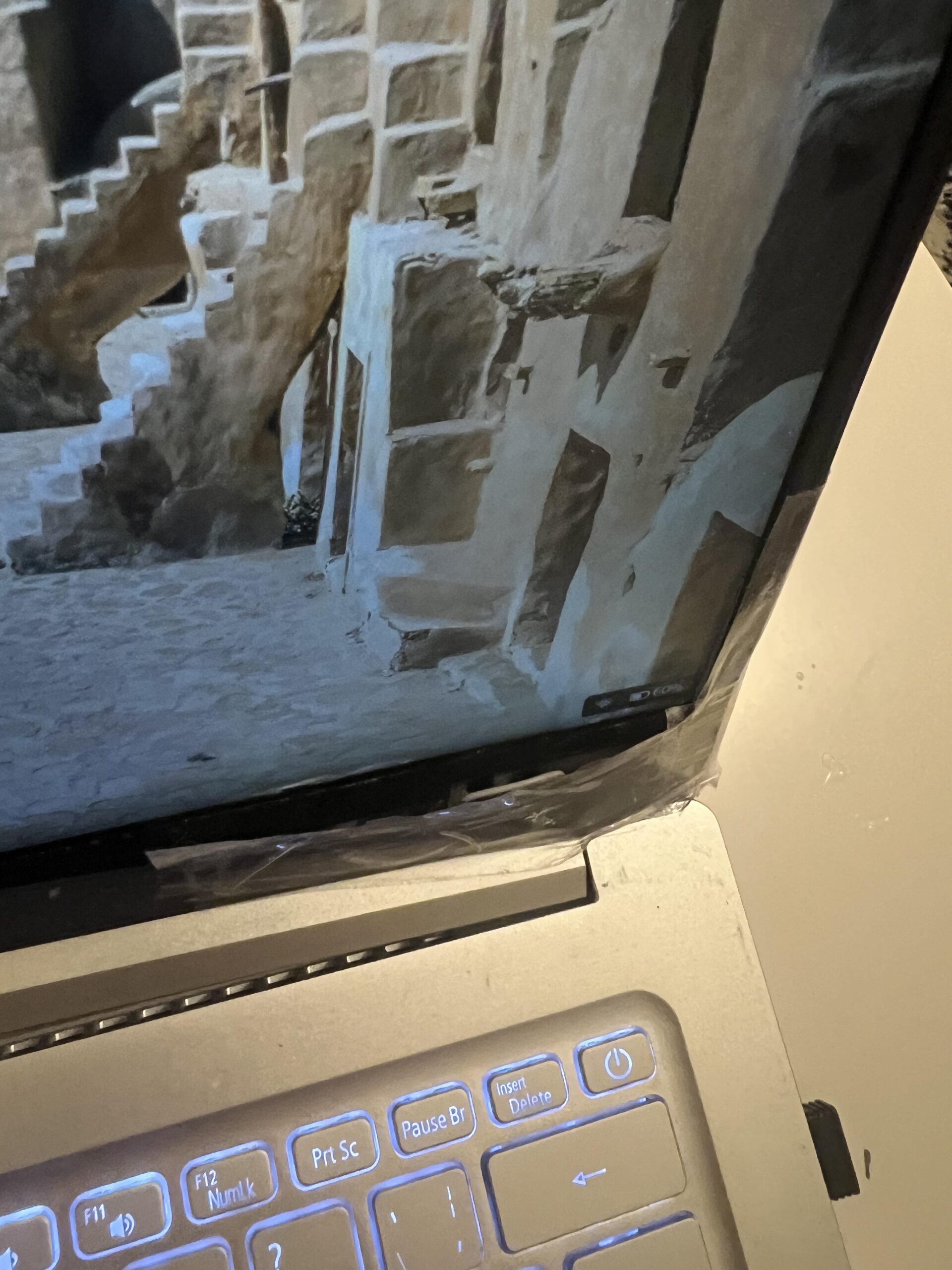
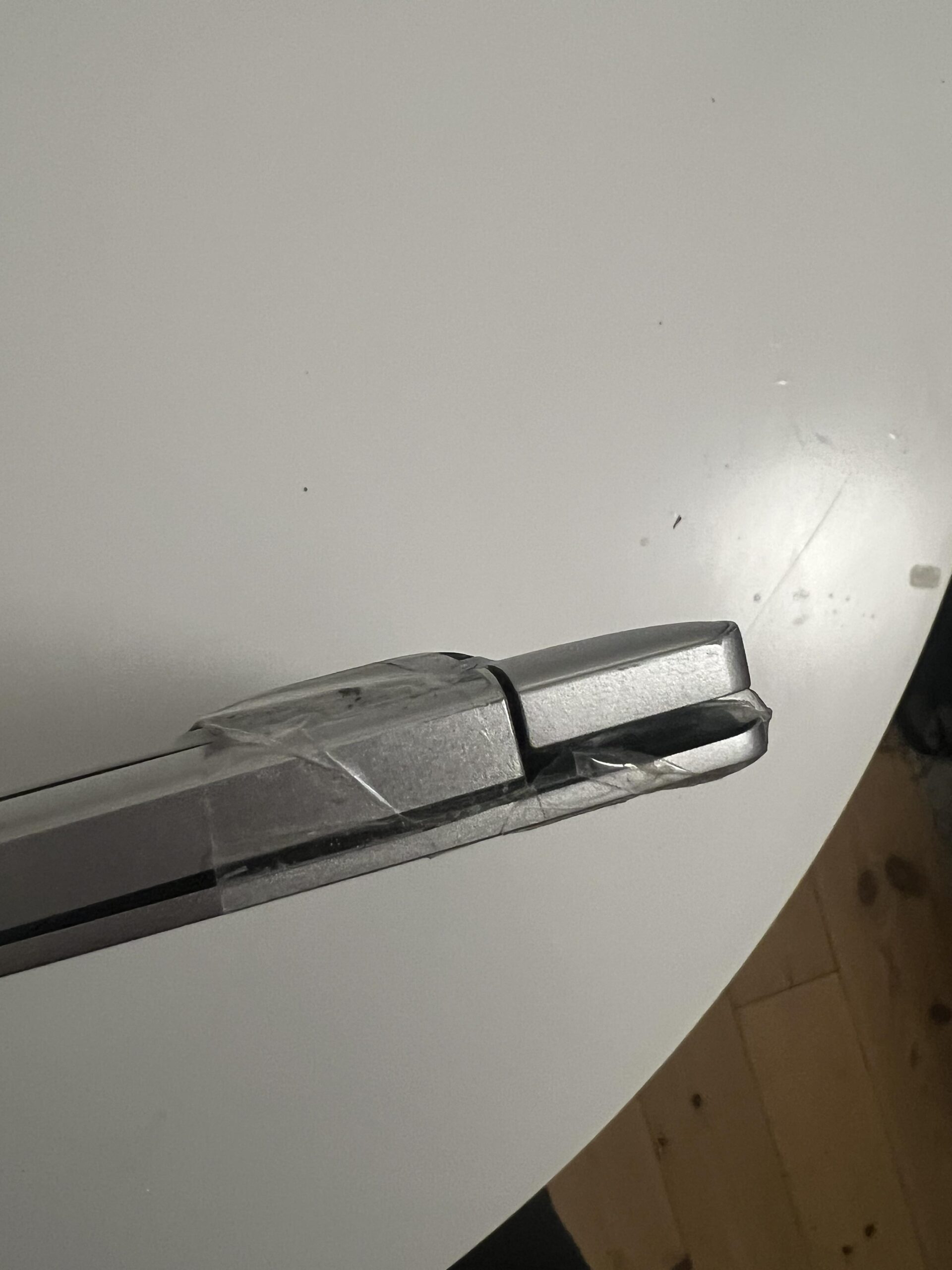
There is visible damage around my screen and hinge area in my photos.
I do not count that against the laptop.
The damage happened after I transported the laptop on the luggage rack of my scooter and hit a hard bump. The laptop took an impact, and part of the screen assembly/bezel started separating.
I have since used tape around the hinge area. It looks rough, and the hinge now creaks slightly, but remarkably, the display itself has continued working for around another year.
Fan noise has become annoying
One area that has definitely become worse with age is fan noise.
The laptop now gets noticeably loud — loud enough that other people in my class have commented on it.
The computer also becomes reasonably warm during use.
I have never opened it to clean out dust or replace thermal paste, so after more than five years of heavy use there may well be accumulated dust contributing to the noise. I therefore would not assume that every old Swift 3 will behave exactly like mine.
Still, in its current condition, fan noise is one of my biggest everyday annoyances.
Speakers are mediocre
The speakers are usable, but I do not think they are particularly good.
Again, this became more obvious after I bought my Lenovo IdeaPad Slim 3. The Lenovo sounds noticeably better to me.
Combined with the better display, that makes my newer Lenovo a much better machine for Netflix and movies.
The Acer’s webcam and microphones have aged more gracefully. I still consider them perfectly acceptable for Teams and Zoom calls.
Storage and connectivity have been reliable
The original SSD has worked without problems for more than five years.
I have never felt that storage speed was a major limitation, and the capacity has been adequate for my use.
Wi-Fi and Bluetooth have also been consistently reliable. In practice, the ports I use most are the charging port and a USB port for the receiver for my wireless mouse.
Stability has been excellent
I can remember perhaps one or two occasions over the entire ownership period where the computer completely froze or crashed.
That is a very small number considering how heavily I have used it.
I also stayed on Windows 10 rather than upgrading because I simply did not feel a need to change the operating system.
Why I finally bought another laptop
I bought a Lenovo IdeaPad Slim 3 last year because I thought the Acer might finally be on its way out after the screen/hinge damage.
Ironically, the Acer still works.
So now I have both. The Lenovo has become my primary machine mainly because it is quieter, has much better battery life and gives me a noticeably better screen and speaker experience for movies.
The Acer is now more of a backup machine.
Why I rate the Acer Swift 3 SF314-42 3.9/5
My overall rating is 3.9/5. This follows the public Jon Tests rating method: criteria relevant to the product total 100%, each criterion is scored from 1.0 to 5.0 from the documented first-hand evidence, and the weighted result is rounded to one decimal place.
| Criterion | Weight | Score | Why |
|---|---|---|---|
| Everyday performance | 20% | 4.6/5 | Still surprisingly responsive in 2026 for study, browsing and general work. |
| Portability & build | 20% | 4.6/5 | Compact, easy to carry and still functioning after years of travel plus a significant accidental impact. |
| Keyboard & input | 10% | 4.0/5 | Excellent keyboard, but the touchpad feels less impressive now and the fingerprint reader failed. |
| Display & media | 15% | 3.2/5 | Usable display, but colors, viewing angles and speakers feel dated compared with my newer Lenovo. |
| Battery longevity | 15% | 2.8/5 | The original battery now lasts around one hour and may shut down while showing roughly 20% remaining. |
| Thermals & noise | 10% | 3.1/5 | The fan has become loud and the laptop gets fairly warm. |
| Storage, connectivity & stability | 5% | 4.7/5 | SSD, charging, Wi-Fi and Bluetooth have been extremely reliable. |
| Value | 5% | 3.6/5 | A good long-term purchase, although in hindsight I think there may have been better value at 6,525 DKK (about US$1,065 at the January 2021 exchange rate). |
| Weighted rating | 3.9/5 | 3.865 before rounding. | |
Who should consider this kind of Swift 3?
- Good fit: students who want a compact laptop for study, browsing and office work.
- Good fit: people who travel often and value portability.
- Good fit: normal productivity users who do not need a dedicated GPU.
- Less suitable: people who prioritize movie quality, speaker quality or modern gaming.
- Less suitable: anyone buying an old used unit unless the battery condition is known.
Would I buy it again?
Probably not.
That does not mean I regret owning it. More than five years of heavy study use, travel and everyday computing without a repair is a good result, and the laptop still performs remarkably well.
But after using my newer Lenovo IdeaPad Slim 3, I value a better screen, better speakers, quieter operation and better battery life more than I did in 2021.
If I were buying a similar laptop today for my own use, I would probably target something around 4,000 DKK rather than the 6,525 DKK (about US$1,065 at the January 2021 exchange rate) I paid for the Acer.
See a similar Acer Swift 3 variant on Amazon (paid link) →
Frequently asked questions
Is the Acer Swift 3 SF314-42 still usable in 2026?
Mine is. With a Ryzen 5 4500U and 16 GB of RAM, I still find it responsive enough for studying, browsing, streaming and general office work.
How has the battery aged?
My original battery has deteriorated substantially. I remember roughly 6–7 hours when new, while I now get around one hour and the laptop can shut down while still showing approximately 20% battery.
Can it game?
Light and older games can work. I played Hearthstone and Elder Scrolls Online, although ESO required very low graphics settings. I would not recommend it as a primary gaming laptop.
How durable has it been?
My laptop has never been repaired and still works after more than five years. The visible screen/hinge damage in my photos came from an accidental impact while transporting it, so I do not count that against Acer.
Would I buy it again?
Probably not today. I now prefer the quieter operation, better display, better speakers and battery life of my newer Lenovo IdeaPad Slim 3, even though the Acer has been a solid long-term machine.
Sources and review method
- My own purchase from January 25, 2021, more than five years of heavy use, original current photos and the first-hand observations described above.
- Proshop listing associated with my purchase/model family.
- The Amazon link in this article points to a similar US-market Swift 3 version with a US keyboard and may not match my exact RAM/storage configuration.
- Jon Tests — How I Test for the public rating methodology.