Quntis Monitor Light Bar Review: Two Lamps, 1+ Year of Daily Use
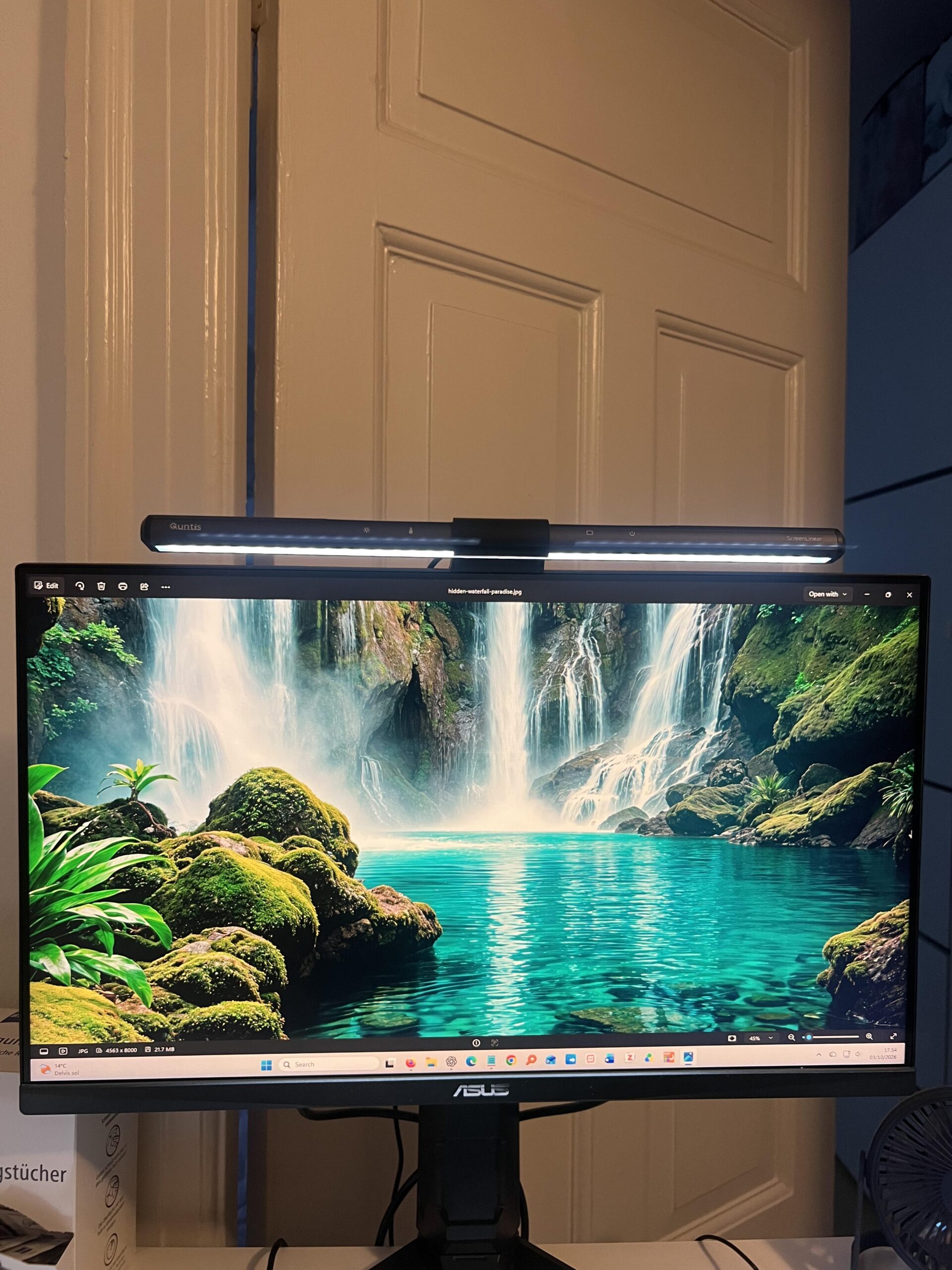
I bought two Quntis computer monitor lamps from Amazon US on June 18, 2025 for $39.99 for the pair, before the much higher shipping and import costs I paid to get them to Denmark. Both have been in regular use ever since: one on my ASUS TUF VG249QL3A gaming monitor and the other on my partner’s Gigabyte monitor.
I originally bought monitor light bars because I wanted strong desk lighting without using up desk space. I had also heard they could make long computer sessions feel easier on the eyes. In my own use, I do find the lighting more comfortable and I feel more alert and focused when I use the bright, cool setting, although that is a personal experience rather than a medical claim.
My overall rating is 4.9/5. After more than a year, both lamps still work equally well, with no dead LEDs, flicker, buzzing, overheating, loose mounting or worn touch controls. My main criticisms are that the bar is slightly shorter than I would ideally like for my monitor and that my total purchase became expensive once international shipping and import costs were added.
Affiliate disclosure: This review contains a paid Amazon link. If you buy through it, Jon Tests may earn a commission at no extra cost to you. I bought both lamps myself at full price and received no free product, discount or compensation. As an Amazon Associate I earn from qualifying purchases. Full disclosure.
Quntis Monitor Light Bar — 4.9/5
Quick verdict: I bought two, have used both for more than a year, and both still work exactly as I want. They mount securely, light the desk very well, do not create distracting glare on my screens, and take up effectively no desk space.
Best for: students, home-office users and gamers who want strong adjustable desk lighting without adding a lamp base to the desk.
Main downside: the light bar is a little shorter than I would ideally like on my gaming monitor, and imported shipping/taxes made my purchase considerably more expensive than the $39.99 product price.
- Excellent desk illumination at maximum brightness
- No distracting monitor glare in my setup
- Very fast 1–2 minute installation
- Stable mount with no marks on either monitor
- Responsive touch controls
- Easy brightness and warm/cool light adjustment
- Remembers the previous setting
- Both units remain fully functional after 1+ year
- No flicker, buzzing, overheating or dead LEDs
- Slightly shorter than I would ideally like for my monitor
- International shipping/import made my purchase expensive
- The modern monitor-bar look will not appeal to everyone
How I tested the Quntis monitor light bar
- Purchased: June 18, 2025
- Retailer: Amazon US
- Product listing: Amazon ASIN B08DKQ3JG1
- Quantity: two lamps
- Price paid: $39.99 for the pair before shipping/import
- My monitor: ASUS TUF VG249QL3A
- Second monitor: Gigabyte monitor, exact model unknown
- Typical use: about 4 hours/day on mine and about 2 hours/day on my partner’s
- Failures: none on either lamp
- Dead/weak LEDs: none noticed
This is a first-hand home-office review, not a clinical test of eye strain, sleep or alertness. I personally find the light more comfortable for my eyes and feel more awake/focused with the bright cool setting, but I would not generalize that into a medical benefit for everyone.
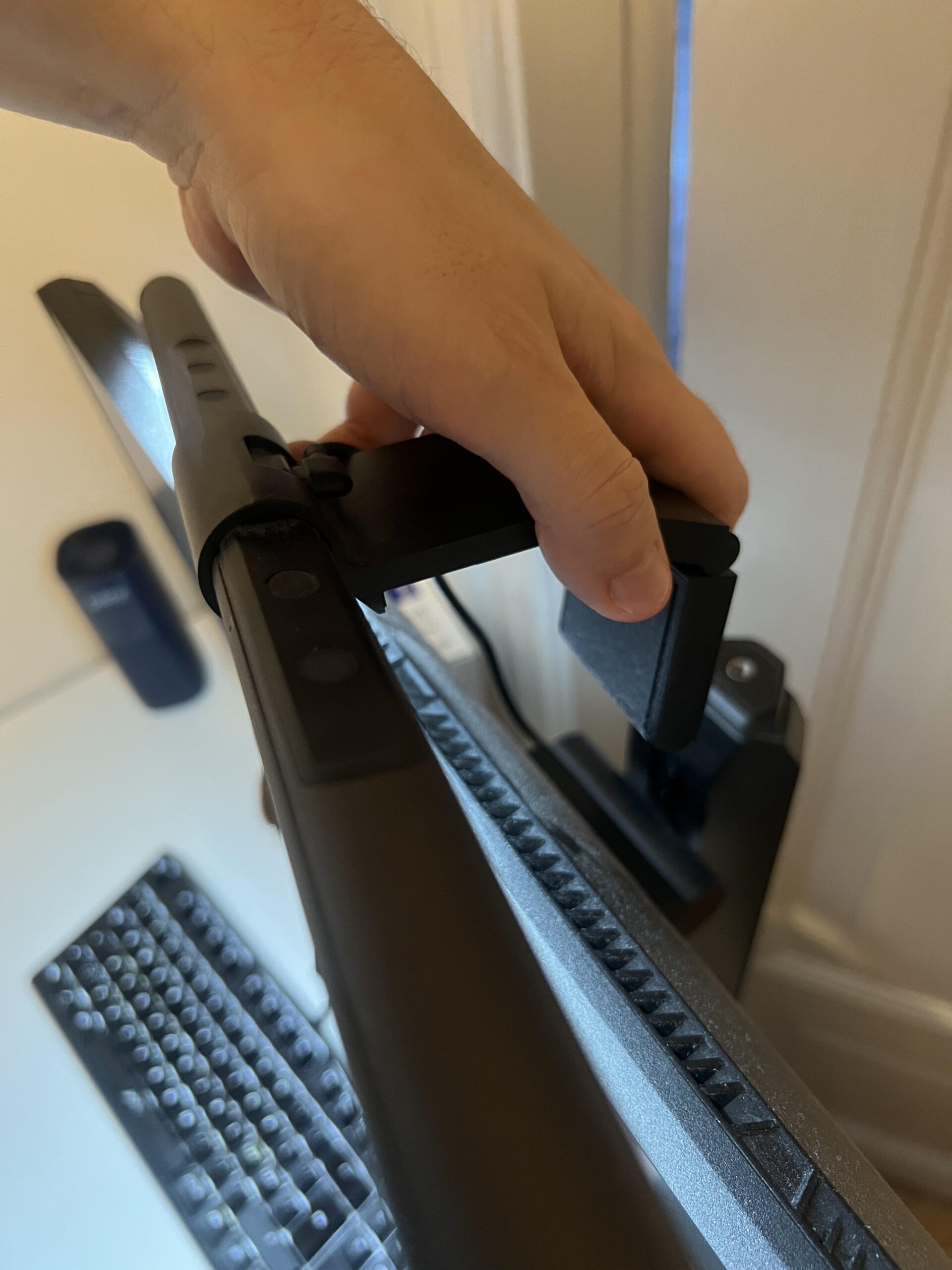
Installation took me about one or two minutes
Installation is one of the best parts. I did not need to screw anything into the monitor or desk. I simply positioned the mount on top of the display and connected power.
Both lamps sit completely securely in my setup. They do not wobble or tilt during normal use, they do not feel too heavy for either monitor, and I have not found marks where the mounts contact the screens.
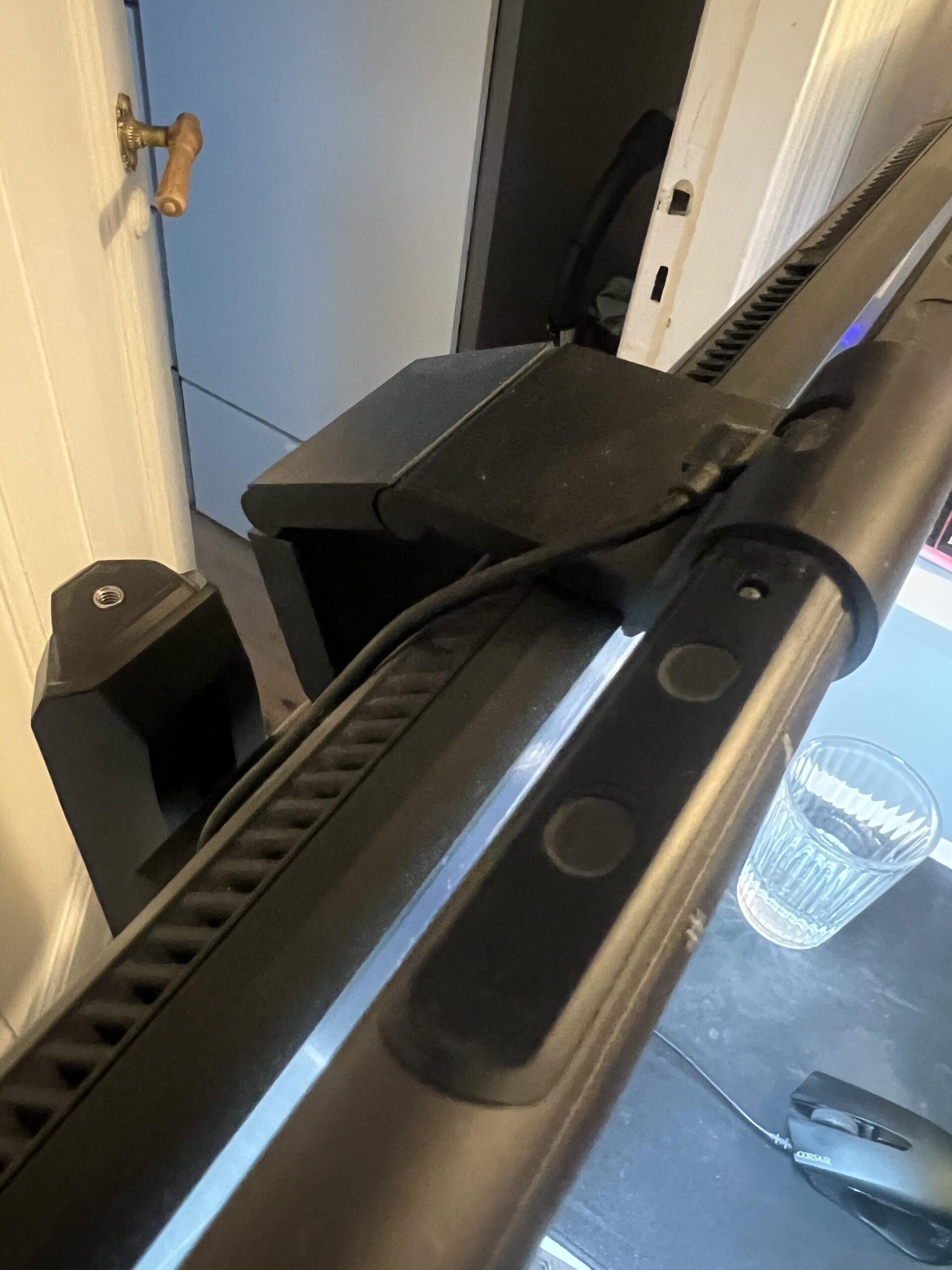
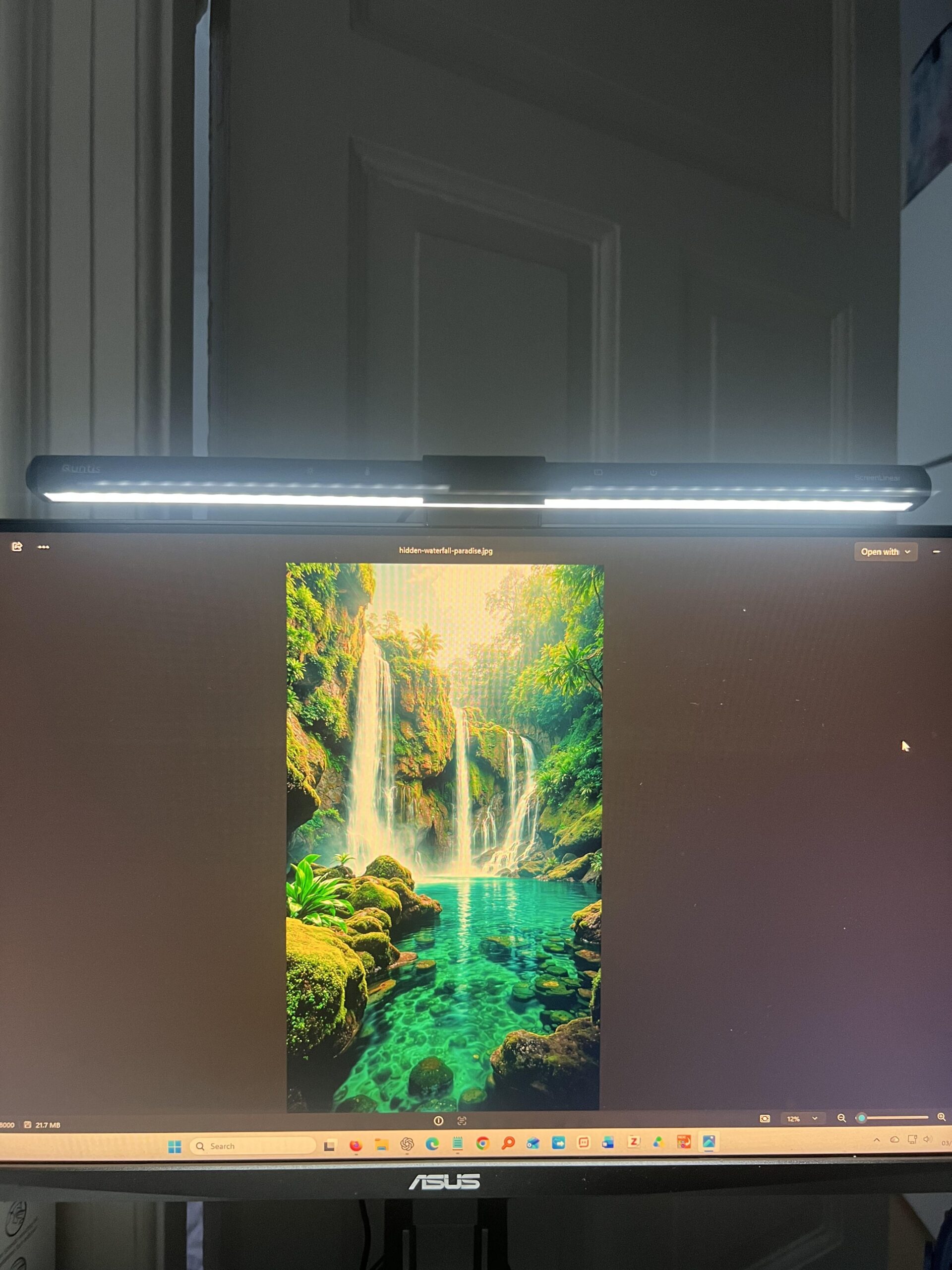
The desk lighting is excellent
I would give the actual desk illumination 5/5. At maximum brightness it lights the area around my keyboard, mouse and the rest of the desk very well.
I normally use maximum brightness and a cool light tone because I personally feel more awake and focused that way while studying or working. Closer to bedtime I sometimes switch to a warmer tone and reduce the brightness.
I do not get distracting glare or reflections on the monitor. Some light may physically reach the display area, but not in a way that I notice or find annoying.
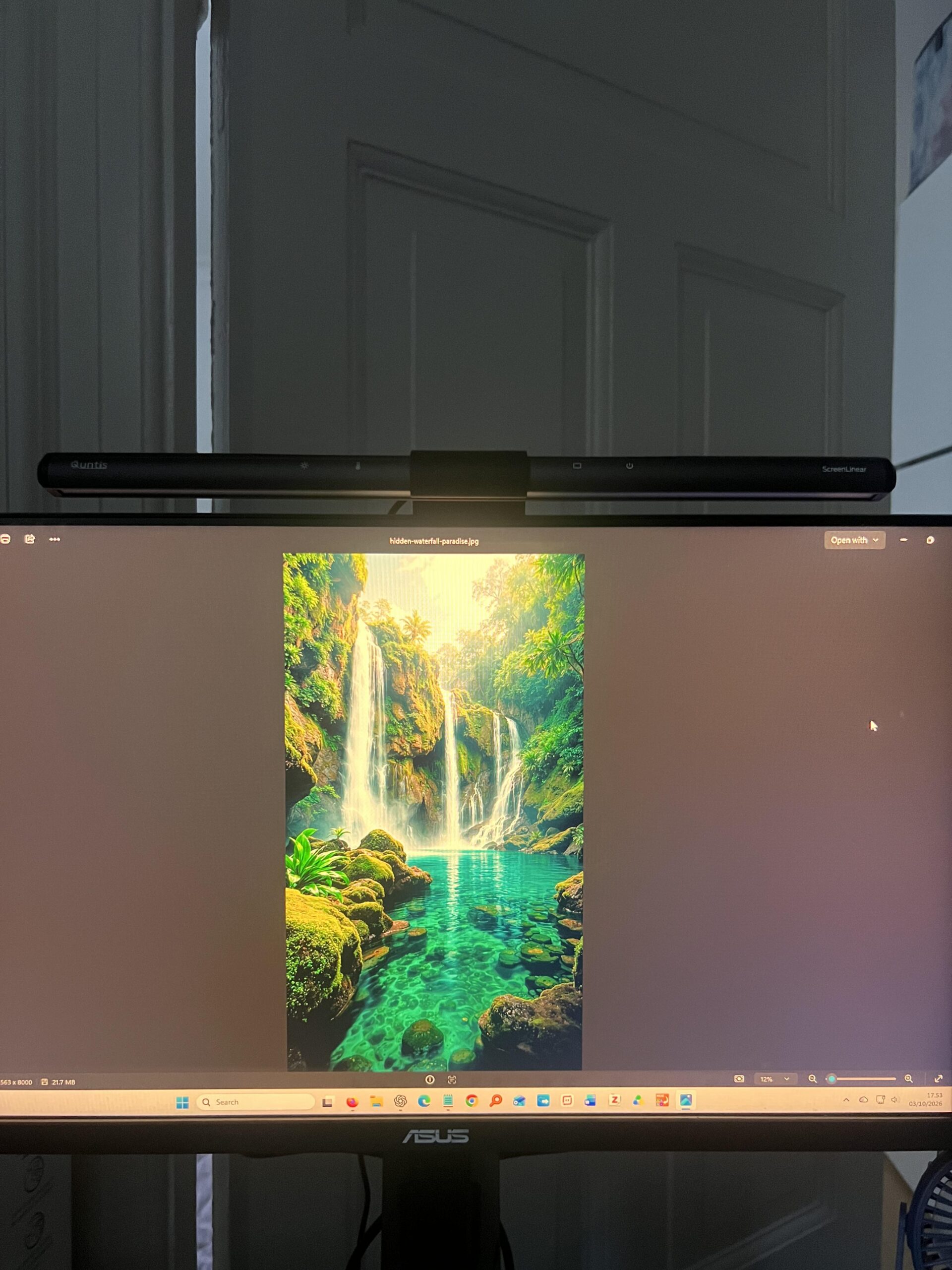
Touch controls are simple and reliable
The controls are on top of the bar and are very easy to reach. In my experience they respond reliably, and I do not often hit the wrong control by accident.
I manually adjust brightness and color temperature rather than using automatic dimming. The lamp also remembers my previous setting when I switch it back on, which means I rarely need to reconfigure anything.
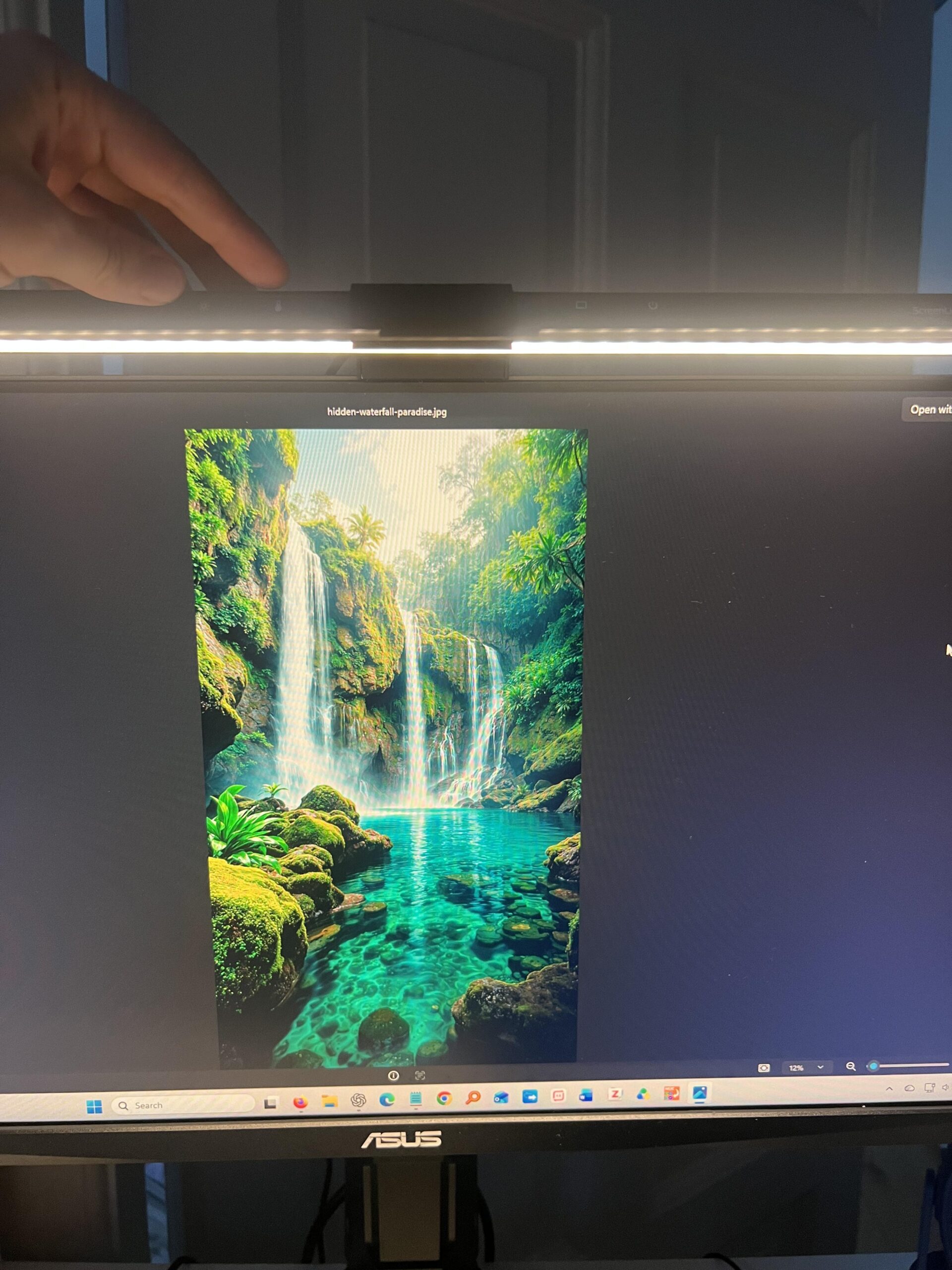
Two separate lamps have been equally reliable
This is the strongest part of my long-term experience. I did not just buy one unit: I bought two, installed them on two different monitors, and both have behaved the same way.
I have not noticed dead LEDs, weaker areas, flicker, buzzing, excessive heat, cable problems, loose mounts or failing touch controls on either one.
Even after being switched on for hours, mine does not become uncomfortably warm to the touch.
It saves useful desk space
A traditional desk lamp needs a base or clamp somewhere around the desk. This sits on top of the monitor, so the working surface remains completely available for my keyboard, mouse and other items.
The only design point I would change is the width. On my ASUS gaming monitor, the bar looks slightly short compared with the full width of the display. In practice, though, that does not stop it illuminating the desk well.
Was $39.99 for two good value?
Yes, on the product itself. Paying $39.99 for two working light bars that have lasted this well is reasonable to me.
My value impression was hurt mostly by the expensive international shipping and import charges, not by the $39.99 pair price itself.
If both lamps failed tomorrow, I would buy this type of light again. I would personally be willing to pay roughly $60–70 before I would start looking more seriously for a better alternative.
Why I rate the Quntis monitor light bar 4.9/5
My overall rating is 4.9/5. I use the public Jon Tests rating method: each relevant criterion is weighted, the weights total 100%, and the final result is rounded to one decimal place.
| Criterion | Weight | Score | Why |
|---|---|---|---|
| Lighting performance | 25% | 5.0/5 | Strong enough at maximum brightness to illuminate my whole working area without distracting screen glare. |
| Comfort & practical benefit | 15% | 4.7/5 | I personally find the lighting comfortable and feel more alert with the bright cool setting, but this is subjective rather than a medical test. |
| Controls & light adjustment | 15% | 5.0/5 | Responsive touch controls, useful warm/cool settings, easy brightness changes and reliable memory. |
| Mounting & stability | 15% | 5.0/5 | Very fast installation, stable on two different monitors and no visible monitor marks. |
| Build quality & durability | 15% | 5.0/5 | Both units remain fully functional with no dead LEDs, flicker, buzzing, heat problem or visible control/mount wear. |
| Size & design | 5% | 4.5/5 | Compact and desk-saving, though I would prefer a slightly longer bar on my monitor. |
| Value | 10% | 4.5/5 | $39.99 for two is reasonable; my imported total became less attractive because of shipping and customs costs. |
| Weighted rating | 4.9/5 | 4.88 before rounding. | |
Who should buy it?
- Good fit: students who spend long periods reading or writing at a computer.
- Good fit: home-office users who want bright desk lighting without using desk space.
- Good fit: gamers who like an illuminated desk without a traditional lamp beside the monitor.
- Consider another style: if you prefer the appearance of a traditional desk lamp.
- Consider a larger model: if matching the full width of a larger monitor matters to you aesthetically.
Would I buy it again?
Yes. More than a year of use from two separate units has given me enough confidence that I would replace them if they failed.
The light is strong, the controls are simple, the mount is stable and the reliability has been excellent. The small size criticism does not meaningfully affect how well it works on my desk.
See the Quntis monitor light bar on Amazon (paid link) →
Frequently Asked Questions
Does the Quntis monitor light bar cause screen glare?
Not in my setup. I do not see distracting glare or reflections on either monitor during normal use.
Is it bright enough to light a desk?
Yes for me. I rate desk illumination 5/5 and normally use maximum brightness.
Is it easy to install?
Yes. My installation took about one or two minutes and required no screws into the monitor or desk.
Does it damage the monitor?
I have not found any marks on either of the two monitors after more than a year of use.
Do the touch controls still work?
Yes. Both lamps still have responsive controls and both remember their previous settings.
Have any LEDs failed?
No. I have not noticed dead LEDs, weaker sections or a difference in brightness between my two units.
Does it get hot?
Mine does not become noticeably hot even after being on for several hours.
Would I buy it again?
Yes. I would buy another if mine failed, although I would compare alternatives if the price rose much above roughly $60–70.
Product reference and review method
- My June 18, 2025 Amazon US purchase, two separate lamps, more than one year of use and the original photos shown throughout this review.
- Amazon — Quntis Computer Monitor Lamp, ASIN B08DKQ3JG1, the product listing referenced by this review.
- Jon Tests — How I Test for the public rating methodology.